Today I put the finishing touches on my practice Moodle LMS for ETEC 565. I have to admit, when I first found out that I had to produce my own LMS, I was initially overwhelmed. However, by working through the modules in this course and the toolkit activities, made this overwhelming task quite manageable, as did being a part of such an amazing learning community. I would have found it more helpful if the live Moodle seminar was scheduled earlier in the course, as I learned a lot from this session and would have liked more time to build on that knowledge. As it stands, I have completed the required elements for the LMS online course site and thought I would take a few moments to reflect on some of its components.
One of my concerns, with the LMS was accessibility. I wanted students to be able to access the course with ease, but at the same time protect their privacy from unwanted guests. Moodle has an excellent feature, in addition to the regular user login, called an enrolment key. An enrolment key is a password that students must give in order to access the course. The great part is the enrolment key can be updated with ease, and can be used for accessibility to various assignments and assessments within the LMS. For example, I chose to include an enrolment key on a modified quiz, so that only those students with the password could access that item. After experimenting with many of the features of Moodle, I feel more comfort in my understanding of LMS and accessibility.
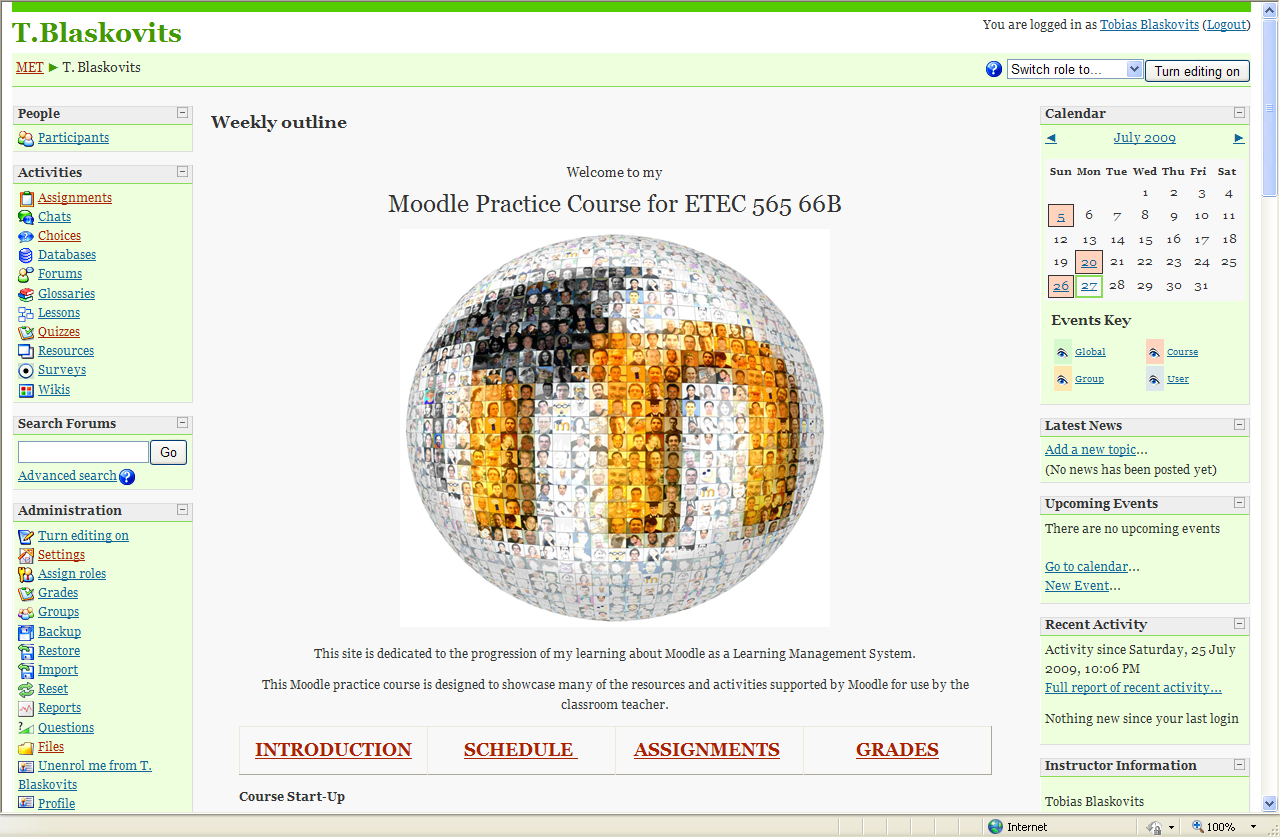 The splash page is the first thing that a user will see after they log in. It usually includes graphics and some short cuts or buttons to various features of the course. This is an essential component of a well-designed LMS. In my Moodle practice site I chose an image of a ‘Moodle World’, since my LMS is dedicated to learning and practicing with all the tools that Moodle has to offer. Also included are some buttons linked to key information such as the introduction, schedule, assignments, and grades. I opted for a simplistic splash page with not a lot of bells and whistles as to minimize the distraction for the user every time they enter the course.
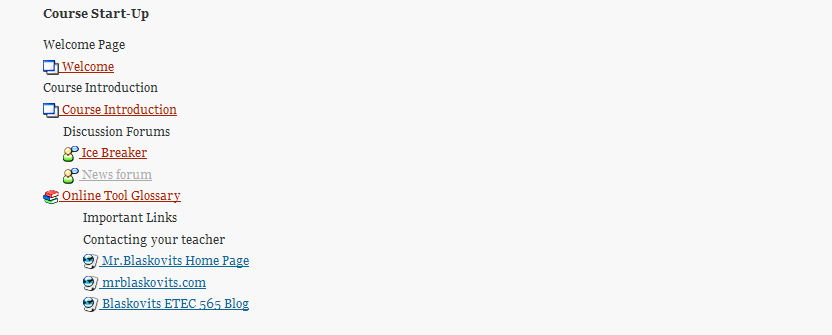 In my practice approach to my LMS, I did not focus a lot on content. My rationale was that I wanted to ‘play’ with all the features of Moodle and not be concerned with content. When I actually set up my own Moodle course, I can focus on content, with the understanding of the technical tools out of the way. My completed modules although not rich in content, focus on different resources and activities. I have tried almost every option that this version of Moodle has to offer. I have incorporated text pages, web pages, resource links, web links, discussion forums, chat rooms, online assignments, offline assignments, wikis, lessons, glossaries, multimedia, assessments, and surveys.
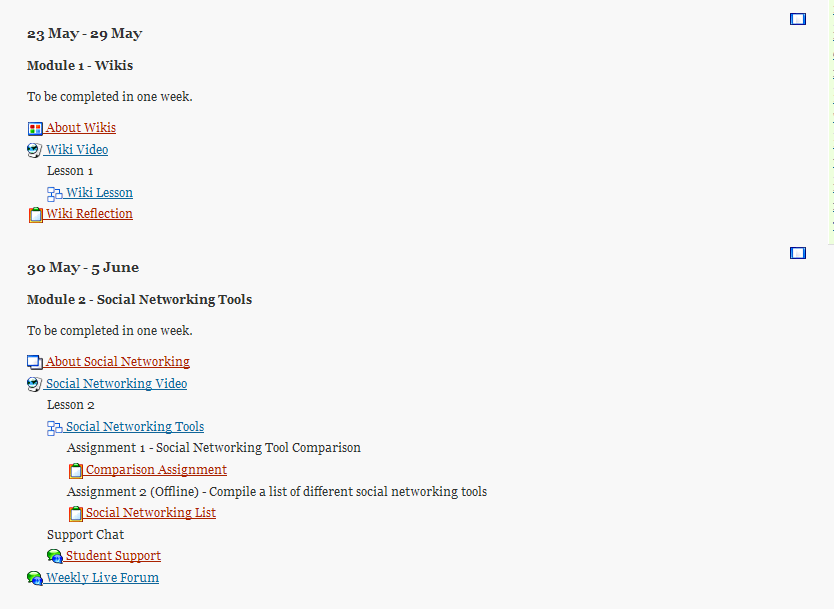 One of the requirements for our LMS was to program one module for selective release. This is a feature in other learning management systems like Vista, but not part of this version of Moodle. Instead, what I chose to do is use the ‘weekly’ format for my site. By creating modules in a week-by-week format you can hide future modules from the user. With the click of a button the instructor can activate the next week and make it visible to the users. After structuring my Moodle practice site in this manner, I have mixed feelings about this approach. As a classroom teacher sometimes our planning is not exact or unforeseen events interrupt the flow of our lessons. For a veteran LMS instructor who has taught that course previously this may be a great option. When I implement this in my class I will still use the ‘hide’ feature, but build my course module-by-module without the weekly constraints. Although Moodle dose not allow for the selective release of entire modules, it des allow for the selective release of various assignments. I did use this feature for the selective release of the quiz I constructed, and found this to be a useful option. The instructor can set an opening date for the quiz to become visible and end date for the quiz will disappear.
In terms of communication within my LMS, I took advantage of every option that Moodle has at its disposal. I included several discussion forums for users to utilize and communicate asynchronously. In addition, I also included chat rooms to be utilized for synchronous communication, and one chat room reserved for a weekly live forum where the instructor can directly communicate with the students at a predetermined time. The ability for students to communicate with each other and the instructor is something that makes an effective online learning environment, as well as something that I have learned to appreciate in this course and others in the MET program.
Although, I still have a lot of work to become a completely confident Moodle user. This assignment has given me a great look at the benefits of utilizing a learning management system to create an effective online learning environment based on sound instructional theory.