Categories
communication tools reflections synchronous communication webct vista wimba

E-learning toolkit: Synchronous communication tools

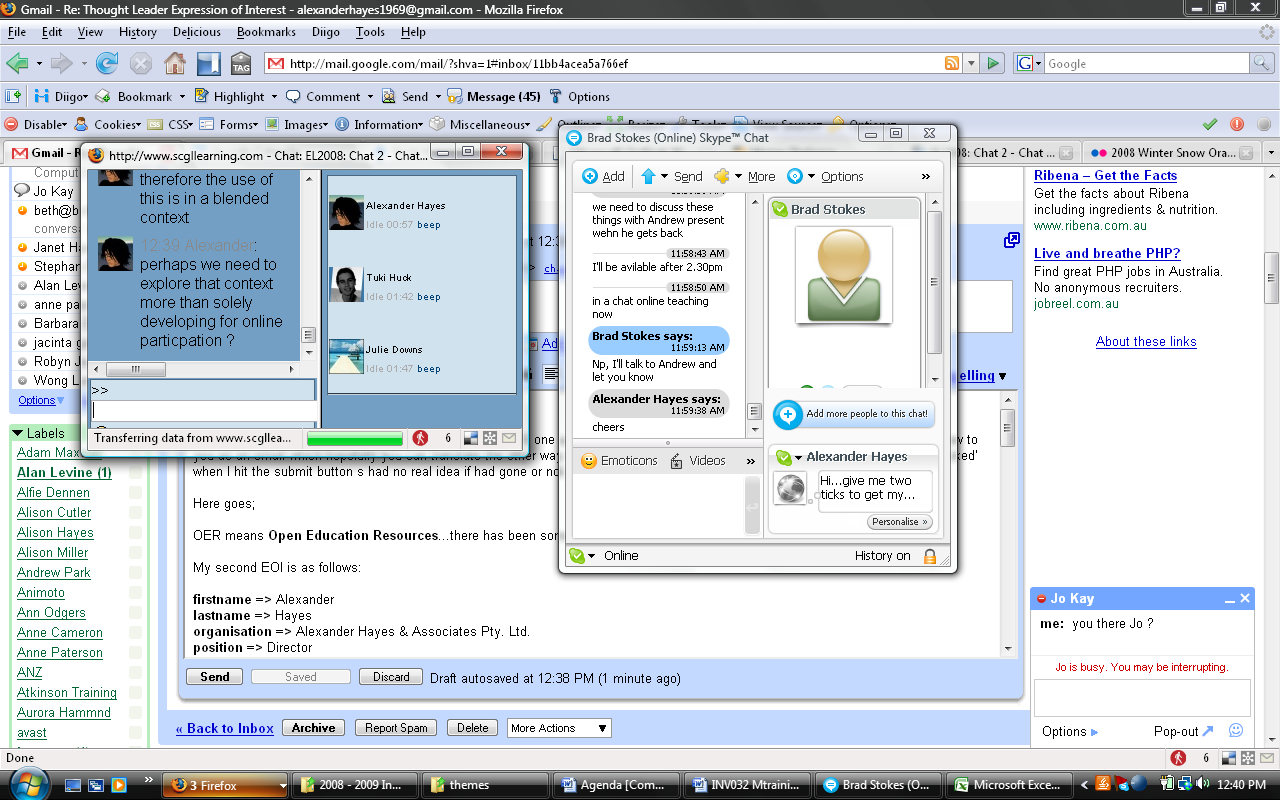
Synchronous communication example
(Source: Flickr images: http://www.flickr.com/photos/mobology/2755744656/, Creative Commons License).

I recall in high school, my peers were using ICQ, a synchronous communication tool to stay connected with each other and that transitioned into MSN Live Messenger. It was mostly still text-based since the video option was a bit more grainy and unpredictable than it is now. In the past, I’ve utilized Skype to stay connected with my family and friends but more often now I use Googletalk and Gmail’s embedded live chat/video function. Also, in related news it was quite interesting to learn this week that Facebook and Skype have teamed up so that users will be able to use both applications in one interface.

In terms of the practice activity using WebCT Vista, I found it straightforward to set up a Live Classroom using the Build tab, then adding a content link into my folder. However, I was unable to access the Wimba Live Classroom/Admin link at http://wimbaclassroom.elearning.ubc.ca/launcher.cgi?room=etec565. I tried on several different web browsers and still received the error page that it couldn’t display the content.

In any case, I still found the toolkit activities useful to learn about the various third party modules that can be integrated into our Moodle sites for full audio/video conferencing. I recall that the use of Nanogong was suggested recently by one of our colleagues from the course discussion forums but to find out that there are several applications that can be used is very promising indeed. There’s everything from OpenMeetings, Dimdim, Elluminate Live, Wimba, and Marratech. It’ll be important to consider the affordances of each resource and consider how students can achieve learning objectives through the use of these tools.

Categories
reflections

Communication and collaboration tools

I developed an e-learning portal for healthcare practitioners with the intention that it would complement the existing f2f training sessions that I currently offer without the constraints of time and location. My goal is that it will help them become more familiarized with the available resources and learn how to use them effectively in order to improve their research skills. One of the first communication tools I created was a course announcements section to relay information to healthcare practitioners asynchronously. Additionally, there is a technical support discussion forum developed for students to troubleshoot and help each other with minor technical issues. However, for more urgent matters, there is a contact email provided for additional technical assistance.

Also, an asynchronous icebreaker activity was created as a discussion forum to help develop a sense of community as clinicians get to know each other. This will also help me gauge what I can do to support them to achieve their learning goals. Here are my icebreaker questions below:

Introduce: yourself to your fellow colleagues.

Share: your online research experiences and techniques.

Reflect: What are the key skills and approaches that you feel you need to develop in order to meet your e-learning goals?

Another learning space I created was a synchronous chat room where practitioners can go to discuss aspects of their self-study modules as a virtual meeting space. Since this e-learning portal is meant to supplement the f2f training sessions that I’ll continue to offer, I’ve also included a calendar widget to alert students to any upcoming learning events. As well, I added a new events section, a who’s online section and a messages box so students would have the option of sending instant messages to each other. There’s also a newsfeed of upcoming events to supplement the calendar view and a recent activity section to help me keep track of online student activities.

All of the modules will be available for students since they can decide to learn at their own pace/time. At the end of each module I’m thinking of using quizzes to assess their understanding of the material. I’m considering embedding some recorded video tutorials and perhaps even schedule a synchronous, live web-conferencing session similar to our Wimba Moodle sessions. Another communication tool I’m thinking of implementing is the use of student webblogs or reflective journals based on an article I recently read about the merits of reflective practice for healthcare professionals at: http://meds.queensu.ca/ohse/assets/reflective_practice__a_systematic_review.pdf. I’ll have to figure out where I want to include the journal activity (if it’s within each module or one at the beginning that they would use throughout their learning activities).

In any case, here’s the link to my Moodle site that I’ve worked on so far: http://moodle.met.ubc.ca/course/view.php?id=243. Any useful suggestions and/or feedback is welcomed.

Spam prevention powered by Akismet