Categories
Uncategorized

Multimedia in the Classroom

There is such a huge variety of multimedia out there at our disposal, that it is often hard to know where to even start. Going beyond the textual presentation is a huge benefit for many of my learners. Being able to interact with visuals, audio, and images taps into the different learning styles nicely. But…what do you use and when do you use it….tough questions.

Using Bates and Pooles’s SECTIONS framework works well for multimedia, too. I really like the consistency of applying one main framework when I am making technology choices, plus many other theorists weighed in on how to use the SECTIONS framework, so there is no limit of resources available to check in with.

References:

Bates, A.W. & Poole, G. (2003). Chapter 4: a Framework for Selecting and Using Technology. In Effective Teaching with Technology in Higher Education: Foundations for Success. (pp. 77-105). San Francisco: Jossey Bass Publishers.

Boyes, J., Dowie, S. & Rumzan, I. (2005). Using the SECTIONS Framework to Evaluate Flash Media. Innovate Journal of Online Education, 2(1). Accessed online 12 March 2009 http://www.innovateonline.info/pdf/vol2_issue1/Using_the_SECTIONS_Framework_to_Evaluate_Flash_Media.pdf

Siemens, G. (2003). Evaluating Media Characteristics: Using multimedia to achieve learning outcomes. Elearnspace. http://www.elearnspace.org/Articles/mediacharacteristics.htm

Categories
Uncategorized

Digital Story Reflection

Now that I have finished my digital story, I can reflect a bit on the process. Honestly, I had so much fun creating my glogster, and I can see how it could become very addicting.

The tool itself gives you the option of adding sound, text, video and has a ton of images you can use from their site, as well as adding your own. I found that not many images on the site fit with the feel or look I was going for, so opted to use my own pictures, as well as some from creative commons. Being able to incorporate all of these at once was excellent! If I had used a different tool, I may not have been able to use youtube videos, my personal pictures, songs, images, and my own voice to share my story.

I used the Glogster Edu option, but many people use the basic Glogster feature. One feature I really liked was the fact that you can go and look through galleries that other people have shared to get some ideas for you own. BUT, having said that, it was also one of the features that worried me the most. I don’t see myself using Glogster as a form of expression for my personal life, so if I am thinking of this from a purely educational aspect, there are things about Glogster that I don’t love…and the gallery is one of them.

It is a fine line to walk as an educator…introducing kids to new tools that may contain content that is more mature than their age. Don’t get me wrong, I’m no dummy…I know that kids have access to a ton of stuff that is much worse, but the difference is…I didn’t show them how to set up a porn site. Looking through the Glogster gallery, I came across posters that had clearly been made by older high school kids. The content was drug related; how to get the best high, etc. As a teacher of Grade 7 students, some of whom have not turned 12 yet, I see this as a bit of a problem. So, bottom line…would I use Glogster in my classroom? No, not yet. I would need to do a bit more research on how to set up boundries for my students before I unleashed them on the Glogster world…even if they already know about it…

Categories
Uncategorized

Glogster

In Module 4, we looked at Alan Levine’s cogdogroo wiki site – 50 Web 2.0 Ways to Tell A Story, where he outlines the idea of telling a story digitally, using visual and textual means. Some of the tools were familiar, and some were brand new! I played around with a couple and finally settled on Glogster. This tool is almost a cross between blogging and digital scrapbooking, which I am already a fan of! So, with my Grade 7 students in mind, I set off to tell the story of my trip to Pompeii and Mt. Vesuvius. My vision is to use this glogster as an intro to Volcanoes in Science 7, with a tie in to Ancient Rome in Socials 7.

You can view my Glogster here. Hope you enjoy touring it as much as I enjoyed making it!

Categories
Uncategorized

Blogging in the classroom.

What seems to be holding true for many Web 2.0 tools, the exact traits of blogging in the classroom that make it attractive for students and teachers, also present problems. For example, in Noelene’s classroom, her students are publishing their work within LiveJournal, which gives them the immediate feeling of being a published author. As the young girl in Downes (2004) article states, “blogging is an opportunity to exchange our point of view with the rest of the world not just people in our immediate environment.”

But this very well may be the exact thing that worries parents. The idea that their children are putting themselves out into the wild unknown world of the internet is a real concern for personal safety. Noelene will have to follow any and all safety precautions when having her students work on their blogs and respond to strangers who are reading their work. The student need to know and understand the consequences for opening up their learning community to the general public, and while the concept has some incredible aspects, teachers do need to take cautions. One precaution Noelene can take, is not to use last names for her students. Also, being a presence on the blog site itself will help to deter issues from arising. This way all the contributors know that you are on, watching, and reading.

I think one of the most important things that Noelene can do, is include the parents…right from the beginning. Send information home about what the project/blog will look like. Invite parents to follow, read, participate, and most importantly, talk to their kids about what they like about blogging. I think most resistance from parents is based on lack of knowledge and fear, but if parents are included, it really goes a long way to smoothing the edges of the fear.

In one article we read in class, Will Richardson brings forward some doubts on how blogging is working in the classroom, and while I agree that teachers need to check in frequently to make sure that blogging is reaching their ultimate goal, I do think that there is some merit in just introducing students to another writing option.

When I teach poetry and have my student try their hand at writing a poem, I don’t go into it with the expectation that all of my students continue with their poetic expression, but it might just pique the interest of one or two?…okay, maybe none…but is that not the same for blogging? Might there just be one or two kids that like the idea of writing their own blog enough to start one simply because they have some experience with it. And that can never hurt, right?

I don’t think that blogging is going to change the world, and yes, it is just another tool for the classroom, but it sure does change a few things…one of them being the world inside the classroom. This seems to be a sentiment that I am echoing over and over within my MET degree, but as a teacher in a small rural town I am very intrigued, excited, and maybe a bit wary, of the idea of opening my students up to writers their age from outside of their world.

References:

Downes, S. (2004).  Educational Blogging.  Educause Review.  September/October 2004

http://www.educause.edu/EDUCAUSE+Review/EDUCAUSEReviewMagazineVolume39/EducationalBlogging/157920

Fisch, K. (2007). “Blogging: In Their Own Words,”The Fischbowl.

http://thefischbowl.blogspot.com/2007/06/blogging-in-their-own-words.html

Support Blogging. “Links to School Bloggers”   http://supportblogging.com/Links+to+School+Bloggers
Categories
Uncategorized

Using a wiki.

This week, we were asked to hold our discussions on a wiki set up for our use. Part 1 of the assignment was to describe a ‘sighting’ that we have experienced on using social media in the classroom. The example I shared was one of using Jing  screencasting to do a peer editing activity in Socials 9. Some of the examples people gave were great, and gave me some ideas to think about. Many of my classmates were voicing frustration with not having their own classroom to try some of these new technologies out in, and I was surprised at how many of the others were in that boat.

Part 2 of the assignment was to contribute to a discussion on the opportunities and challenges that using a wiki in the classroom can create. I will highlight a couple key points that came out of the list:

Strategies/Opportunitues

  • student-led/student-centered
  • support –> teachers are able to involve and include parents
  • can connect students with outside agencies

Challenges

  • equipment barriers
  • copyright
  • privacy
  • student participation

I found that our page was a little bit hard to follow, as it was a bit free flowing and we did not create a set-up that mimicked the discussion area in our Vista course shell. Some of the strengths I saw, were the fact that people could edit each others work. I found it particularly interesting to see how the information unfolded and changed over the couple of days. This may be seen as a challenge, as well, in the case where someone’s words/ideas get changed to fit the ideas of the group, when that is not what their original intent was… I am definitely use to our discussion forum in the course and I do have to say I really like knowing who posted what. It was hard to know when a new idea was being brought in on the wiki.

I participated in a class wiki in one of my other ETEC courses, and the purposes of that assignment seemed to lend itself more to the use of a wiki. It was a good reminder that it is more important to determine what type of tool best fits what you want the students to learn, rather than simply using a tool for the wow factor.

Categories
Uncategorized

Talk about collaborative…

Well, that was great! I just finished working in a chat function in Moodle where a classmate and I compared notes on how we transferred our web pages to our Moodle site. Doug was having an issue with one of his resources, so we were able to send instant messages back and forth while accessing each others’ Moodle pages to see what we were talking about. Fantastic!

I have worked on google docs and have seen the chat function but have not used it. That was my first attempt at using this type of function in Moodle, and wow! does it make me think of the implications for education. How great would it be if my students could be working on the course site, and messaging at the same time; conferencing, discussing, etc. I like this idea versus setting up a chat space where you cannot access the rest of the site without being kicked out.

Learned something new tonight…cool…

Categories
Uncategorized

Social Networking in the Classroom

This is a hot topic, and one that I can see both side of the coin for. I looked at the Terms of Service for the following 4 sites: facebook, Delicious, Twitter, and Picasa. For each of these I found the ownership issue to be fairly clear. In the case of Google for Picasa, it was very clear that Google does not claim ownership or copyright to any photos the user uploads, but in the case of facebook, while they did not claim ‘ownership’ they claimed the right to use any content that has been uploaded. They do mention that they use the content to provide information to advertisers.

How does this apply to my students? The evolving world of the Internet offers teachers and students incredible access to new tools to research, learn, and create, but with this access comes some fear. Based on the age of my students, if I was to embrace networking in my classroom, I would need to do a bit of research before I chose which sites to work with. Although, the fears and worries would not cause me to say no to social networking in the classroom. Possibly it is my location that gets me excited about this prospect. As a teacher in a fairly small, rural setting, the ability to reach beyond the scope of our classroom, town, and district to connect kids with other learners is very exciting.

One of the issue that seems to come up, is how to keep students from wasting their time simply chatting on the sites. For me, this is really a non-issue. I don’t see this being much different than how we deal with the students zoning out or writing notes in our f2f classroom. You teach! It would take the same level of enthusiasm to keep them captivated on the lesson, and this is something teachers have to deal with on a daily basis already. I do love the idea of the increased collaboration and different formats for students to work together. I can really see this being effective in a creative writing unit.

I do feel that prior to any class involvement in a social networking activity, a media awareness unit must be taught and then revisited consistently. Hopefully, we are doing this in our classrooms already, without using social networking. Even just to teach our students how to filter through the content on the web. Before I have my students use the internet for research, we do a fun activity that uses REAL as a means to evaluate a website. Since I have not used any social networking tools in my classroom, at this stage, I am only having discussions with them about what the impacts are of what they put online. Some classmates have had some incredible ideas of things they have done or seen in the classroom to teach students the implications of their online actions. This type of awareness should be part of our day-to-day teaching, even if we are not using social networking sites with our kids.

Categories
Uncategorized

Moodling along…

I have been working on my moodle site, and it has been quite a steep learning curve, which I love. I really like taking on new things that I can learn quickly and feel like I have made leaps and bounds along the way. For me, this was just like learning to snowboard. When I first started, I thought “what the heck am I doing here?!” My first two attempts were spent laying flat out and wondering if this was going to get better. By my third try, I was starting to carve a turn, and by the end of that season…I was flying! Moodle has been a bit of a similar experience. The first couple days that I worked on my site, I was clicking away, and not getting the results I wanted, but once I figured out how things worked…I’m off!

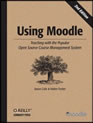
As I stated in an earlier post, the tutorials and books available have made a huge difference. One resource I am really liking is Using Moodle – Teaching with the Popular Open Source Course Management System, by Jason Cole and Helen Foster.

It explains what each of the Activities are and when you might want to use them. That has been a big help for me. I think what has surprised me most is the online help available, both in and out of the Moodle shell, to answer most questions.

So far, so good. I may not quite be turning back flips, or venturing over a jump on my snowboard, but I am feeling pretty competent…

Categories
Uncategorized

Moodle…

So, I have started to work on my Moodle site. I have to say….I am very excited!

I love the support provided on the Moodle site. I have been able to spend some time perusing other ideas on the demo site and I have changed my mind on the course content for my Moodle 3 times! At first, I thought it would be smart to create my moodle site based on something that I already know a great deal about. So, I started with Shakepeare for my Grade 7 English class. Then, I got this great brainstorm that I would use it as a means of communicating with the parents of my students on all the TAG (Teacher Advisory Group) things that we are working on.

My latest change is a bit of a breakthrough… Once I sat down and took a deep breath, I thought about what I would really like to use Moodle for. What can it add? My Shakespeare Unit for Grade 7 is already great. It is student-centered, requires critical thinking skills, has an element of fun, and I created it collaboratively with another teacher with Assessment for Learning principles in mind. So, why the heck was I reinventing that wheel? What area of my classroom have I wanted to revamp, revitalize, or redo? And then it hit me! Current Events is the one area I really feel is lacking in my classroom. It has always been something I talked about, but never really had time for.

So, with the help of a few Moodle tutorials, I think I am on my way to creating a Current Events site!

Categories
Uncategorized

7 Principles of Good Practice…

So far in this course, I have been using the SECTIONS framework set out by Bates and Poole (2003), mostly because I was familiar with it from another ETEC course, and I find it very practical and easy to use. In Module 1, I read Chickering and Gamson’s framework called “Seven Principles for Good Practice in Undergraduate Education” (1987), but I have recently gone back to have another look at it. One of the things that really strikes me about their framework, is the importance it places on students.

Chickering and Ehrmann (1996) then wrote an article on how to use technology as a lever to help implement these 7 principles. So many of their points lead back to good practice in all education, whether it be using technology, working with at-risk students, or just day-to-day classroom routines.

References:

Chickering, A.W. and Gamson, Z.F. (1987).  Seven Principles for Good Practice in Undergraduate Education.  American Association for Higher Education Bulletin, 39 (7), p. 3-7.  http://www.aahea.org/bulletins/articles/sevenprinciples1987.htm

Chickering, A.W. and Ehrmann, S.C. (1996).  “Implementing the Seven Principles: Technology as Lever,” American Association for Higher Education Bulletin, 49(2), p. 3-6.
http://www.aahea.org/bulletins/articles/sevenprinciples.htm

Bates, A.W. & Poole, G. (2003). Chapter 4: a Framework for Selecting and Using Technology. In Effective Teaching with Technology in Higher Education: Foundations for Success. (pp. 77-105). San Francisco: Jossey Bass


Spam prevention powered by Akismet