Categories
Online Courses Online discussion Start of Term Teaching Presence Uncategorized Using Technology

Critical Competenies for Teaching Online

03-online learning and resource production
Image by leighblackall via Flickr

Recently, Larry Ragan, Director of Faculty Development for Penn State’s World Campus, was asked “how would you rank the critical competencies for teaching online?  Here are the 6 he identified:

1. Teaching and Learning

  • State objectives, expectations, & policies
  • Establish communication rules & group decision-making norms
  • Give prompt, effective feedback

2. Technology Aptitude

  • Know the LMS
  • Seek technology assistance
  • Be creative and flexible

3. Classroom Administration/ Management

  • Check & manage roster
  • Submit grades according to University policy
  • Manage drop/adds

4. Faculty Workload Management

  • Define time frames
  • Develop schedule & responsibilities
  • Communicate expectations

5. Building Community

  • Foster dialog & interaction
  • Provide for “space” for instructional & social interactions

6. Attitude/Philosophy

  • Be open minded
  • Take some risks
  • Be willing to fail (with support net!)

Read the full article from the Distance Education Report, November 15, 2009

How Would You Rank the Critical Competencies for Teaching Online? (pdf)

Reblog this post [with Zemanta]
Categories
Using Technology

E-Learning Institute News

At various times throughout the year, many members of the e-Learning community here at UBC contribute their efforts and talent to offer the UBC e-Learning Institutes. These institutes are typically spread out over a week, and include a variety of hands-on and seminar sessions dealing with an assortment of useful e-Learning topics. They are open to all faculty and staff and are a great way to fine-tune your existing skills or help build a strong foundation to start from.

This year, the Office of Learning Technology is producing a newsletter (every 2 months) that is printable for your convenience. It offers:

  • a list of upcoming workshops and events related to teaching and learning with technology.
  • profiles of faculty, staff or students who are using technology in innovative ways to enhance learning.

Download the PDF for Jan/Feb 08!

Categories
Using Technology

Things To Know About RSS

RSSicon.jpg

If you spend any time reading weblogs or online news pages, you probably recognize this orange icon. Basically it’s an indicator that the content you are looking at can be subscribed to – via an RSS reader like Bloglines or Netvibes. It can save you time by bringing the information you are interested in (including updates and new posts) to you – without having to search for it.

If you are interested in a brief primer about RSS, its value and implications for teaching and learning, check out EDUCAUSE’s 7 Things You Should Know About RSS.

If you need a visual to help you make sense of this, have a look at this 3 minute videoclip from Lee Lefever on CommonCraft.

There are two types of Internet users, those that use RSS and those that don’t. This video is for the people who could save time using RSS, but don’t know where to start.

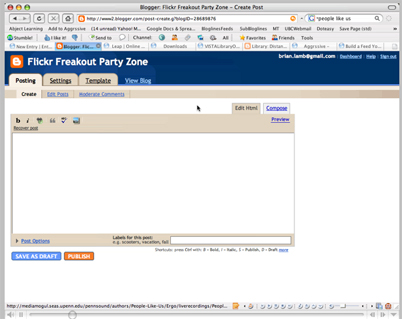
But the potential power of RSS doesn’t stop at subscription. It can also be used to share and re-purpose content to a variety of sources easily, without the necessity of tracking or updating multiple sites. This can save valuable resources when content can be authored in one place, updated by the author and shared to many sources at the same time. My colleague, Brian Lamb, recently hammered out this short screen cast to illustrate how we used this in our context at OLT. In a nutshell, a UBC Librarian authored some content relevant to library orientation and information literacy, published it in a simple weblog and fed the content to specific sections of an Orientation in WebCT – designed for online learners.

Content%20Sharing.jpg
Click to play

LEAP (academic support resource) is built on this principle of sharing and the possibilities for re-purposing content related to learning support (even directly into courses) are just now being explored. Just a hint of some of the possibilities…

Categories
Using Technology

Opportunities for Learning

A few upcoming events to tell you about…

Reading Week 2007 – February 19-23

Join us for a full week of the e-Learning Institute. Hands-on and seminar sessions on various topics will be offered, including communicating online with students, keeping up with day to day tasks in WebCT, overview of WebCT Vista, social software, Horizon Wimba, accessibility and more!
Registration for these sessions is now open.

WebCT & Vista Drop-in QA Session

Facilitators: Emily Renoe & Joey Zerdin, Office of Learning Technology
Date: Every Wednesday to March 28 (no drop-in on Feb 21)
Time: 12:30 – 2:00 pm
Location: ITServices Telestudios, #0115, Lower Level, 2329 West Mall
http://www.telestudios.ubc.ca

The e-Learning Institute and the Office of Learning Technology will be holding a series WebCT & Vista drop-in sessions for faculty throughout winter term. These are informal question and answer sessions with WebCT & Vista specialists in attendance. Bring your questions and we’ll do our best to provide the answers.

Registration not required, drop-in only.

We gratefully acknowledge funding for these events, provided by UBC students through the Teaching and Learning Enhancement Fund (TLEF). The TLT Series is sponsored by members of the Faculty Alliance for Technology in Education (FATE), the UBC Office of Learning Technology, and the Centre for Teaching and Academic Growth.

Spam prevention powered by Akismet