Categories
Start of Term

Easing into Fall Term


seasons

Originally uploaded by *kaishin*

Seems like summer never quite got off the ground and the start of fall term is next week! If you are thinking about your distance courses, here are a few reminders to get you going:

  • Review your course site. Courses are typically cleaned out and re-set before the start of term. Check with your course developer to find out when you can have access to it to check links and review content.
  • WebCT servers will be challenged with the start of term volume. Remind your students to log on during mid-day (rather than evening) whenever possible – they’ll be less frustrated. You may want to check for updates on the WebCT upgrade project – periodically.
  • Check your class list on the Faculty Service Centre.
  • Send a welcome message to your students via the Faculty Service Centre. Online instructors usually do this as soon as the term starts (Tuesday, Sept. 4th). Print based instructors may want to wait until the close of registration (Sept. 18th).
  • Check out OLT’s DE Instructors’ Guide and Instructors’ Resources – especially if you are new to teaching a distance course.
  • Note that there all many upcoming opportunities for learning about WebCT and Vista – both online and in-person. Check for upcoming events on the e-learning or TAG websites.

    Happy start of term!

Categories
Teaching Presence

Connecting With Students

teacherandstudent.jpg

There is no denying that faculty-student interaction is essential for engaging a student in learning. Student engagement is an important predictor of success and (the good news is) it doesn’t need to be a time intensive proposition.

Findings from a recent study published in the Review of Higher Education and reported in last month’s edition of The Teaching Professor reveal that even the brief incidental or personal interactions that occurred between professor and student made students feel valued and important.

This theme continues in a recent brief published by NSSE (National Survey on Student Engagement) titled: Promoting Student Success: What Faculty Members Can Do.
In this piece, various suggestions and examples of best practice are provided for Faculty including:
• Making sure that students know what to do to succeed.
• Providing meaningful feedback.
• Making time for students.

In a distance education environment, this may seem a challenge – given that most of your interactions with students will be in writing – whether participating in an online discussion or providing commentary on a print based assignment.

However, the Office of Learning Technology can help by providing the following resources to encourage interaction:
• An online group chat (which you or a TA can facilitate) via LEAP (UBC’s academic support site for students).
• Integration of Live Classroom into your online course (allowing you to provide a tutorial or host a Q&A session using voice and chat).
• Connect with your students individually by telephone, Skype or other service using Voice Over Internet Protocol (VOIP), periodically through the term to check in on a more personal level.
• Publish a competency guide (OLT can provide a sample) for students in online courses – to help them know what they need in order to be successful online and provide them with the links to resources that will help them build those skills.

Let us know if you want to discuss any of these options for your course. Note that UBC has a site license for the Teaching Professor, Online Classroom and Distance Education report. If you don’t already have access, leave a comment here and we’ll be in touch with the login details.

Categories
Online Courses

Online Seminars: Vista/WebCT

This term, we launched a series of lunchtime seminars online – using Wimba’s Live Classroom.They offer the opportunity for people to access some training and support for WebCT/Vista right from their own desktops!

We plan to offer these seminars on an ongoing basis. Check out the list of upcoming topics along with registration details.

Want to login but have a prior commitment? No problem. We archive each session for your review.

As always, we host regular drop in sessions in the Telestudios for your WebCT/Vista questions. No need to register, just show up.

Happy learning!

Categories
Using Technology

Things To Know About RSS

RSSicon.jpg

If you spend any time reading weblogs or online news pages, you probably recognize this orange icon. Basically it’s an indicator that the content you are looking at can be subscribed to – via an RSS reader like Bloglines or Netvibes. It can save you time by bringing the information you are interested in (including updates and new posts) to you – without having to search for it.

If you are interested in a brief primer about RSS, its value and implications for teaching and learning, check out EDUCAUSE’s 7 Things You Should Know About RSS.

If you need a visual to help you make sense of this, have a look at this 3 minute videoclip from Lee Lefever on CommonCraft.

There are two types of Internet users, those that use RSS and those that don’t. This video is for the people who could save time using RSS, but don’t know where to start.

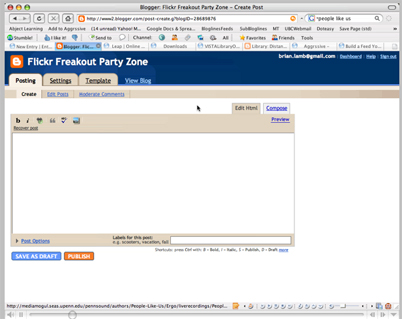
But the potential power of RSS doesn’t stop at subscription. It can also be used to share and re-purpose content to a variety of sources easily, without the necessity of tracking or updating multiple sites. This can save valuable resources when content can be authored in one place, updated by the author and shared to many sources at the same time. My colleague, Brian Lamb, recently hammered out this short screen cast to illustrate how we used this in our context at OLT. In a nutshell, a UBC Librarian authored some content relevant to library orientation and information literacy, published it in a simple weblog and fed the content to specific sections of an Orientation in WebCT – designed for online learners.

Content%20Sharing.jpg
Click to play

LEAP (academic support resource) is built on this principle of sharing and the possibilities for re-purposing content related to learning support (even directly into courses) are just now being explored. Just a hint of some of the possibilities…

Categories
Uncategorized

Summer Term Coming Soon!


Magnolias

Originally uploaded by sparklefish.

Summer session is approaching and no doubt you are preparing for a new section as you finish grading final exams!

Your start of term checklist (for distance education) can provide you with some tips for ensuring that all of the pieces are in place for the teaching of your online or print based course this summer. The full pdf is attached below.

Here are some highlights:

Things to check 2 weeks before your course starts:

Exams: If you have an invigilated exam as part of your course, Enrolment Services (Sheila.williamson@ubc.ca)) will schedule it and arrange for an invigilator. You will need to provide an exam for your course (or use a previously developed version). Contact Enrolment Services Sheila.williamson@ubc.ca
Orientation to Online Learning: Your students will have access to a self-directed, online orientation site in WebCt or Vista (depending on which platform you use for course delivery). If you’d like access to this, contact our helpdesk (dethelpdesk@exchange.ubc.ca) with your CWL.
Review your course site and check links: This is your opportunity to ensure that any previously requested changes have been made and that all links in the course are active and working.

Things to check at the start of term:
View your class list from the Faculty Service Centre
Send a welcome email to students. Send a welcome email to students by using the email feature from the FSC. This is an important first step in building online rapport with your students and encouraging early login to the course.

Things to check at the close of registration:
Check your class list on the FSC against your WebCT class list after the close of registration to ensure that any students who have dropped are indicated as such on your list and denied access to your course site (your web programmer can help with this).
Send a follow up email to any students who have not yet logged into the course or whom you have not heard from.

What’s Important About the FSC and Distance Education?

The Faculty Service Centre offers special features for the distance course sections to allow instructors access to student contact info. Just click on the student number for the student you want to contact and a window will appear with all relevant contact details.

Start of Term Checklist pdf

Happy Spring!

Categories
Teaching Resources

E-Learning Institute Events

The e-Learning Institute is sponsoring a series of training sessions & events over the next couple of months. Upcoming sessions, access to registration, and location details are always listed on the e-Learning homepage – http://www.elearning.ubc.ca. UBC’s Center for Instructional Support (Applied Science) is also hosting the 2007 Team-based Learning Conference…details are below.

Here’s a breakdown of what’s coming up…

Hands-on Vista training, ongoing

Vista Quickstart sessions – April 24 & May 8, 1-3pm, TAG Seminar Room
WebCT & Vista Drop-in QA session – every Wednesday, 12:30-2pm, Telestudios
Tour Vista’s “Teach Tab” (online session) – May 3, 11am-12:30pm
Register with TAG

TAG & e-Learning Institute, May 22 – June 7

Registration is now open to the TAG & e-Learning Institute, May 22 – June 7. More hands-on Vista session will be offered during this time. Space is limited in these sessions & then tend to fill up, so please register early!
Register with TAG

Team-based Learning ConferenceMay 31- June 1

These seminars are part of a series linked to the TAG Institute, the e-Learning Institute, and the Team-based Learning Conference:

The Pedagogy of Clickers: A Panel on the Use of Classroom Response Systems, May 30 9:30-11:30AM

Integrated Course Design – Want your students to learn more? Some new ideas for designing significant learning into your courses, May 30 1:00-5:00pm

Register for these sessions through TAG

Categories
Online discussion

Planning for Online Discussion


Laptop desks in the computer science building

Originally uploaded by maebmij.

I recently came across an interesting and comprehensive resource to assist Faculty in effectively planning to use online discussion.

Authors Barbara Frey (D.Ed.) and Linda Wojnar (Ed.D.) offer guidelines for planning,implementing and evaluating online discussions.

You can access the pdf through the Educause site: Preparing Faculty for Successful Synchronous and Asynchronous Discussions: Plan, Implement & Evaluate (pdf)

Do you know of other helpful resources related to online discussion? Please share with your colleagues by posting a comment (below).

Categories
Teaching Resources

Teaching Infection Control

If you are teaching in a health discipline, you may be interested in this comprehensive curriculum resource related to teaching infection control concepts: the Epi-TUTOR & PARADIGM. This resource was developed by David Birnbaum, PhD, who is one of your distance education colleagues in the Faculty of Applied Sciences: School of Nursing.

Categories
Learning Resources Teaching Resources

Resources to Reflect On


Drawers, Building REsources

Originally uploaded by heather.

Remember card catalogues? Somewhat less satisfying but infinitely easier to access are the resources that are only a click away…

Here are a few that may be of interest to you if you are considering implementation of some activities in your course to encourage and document personal reflection.

The first short piece from the Teaching Professor called Questions that Lead to Self Understanding offers suggestions for questions to guide reflection. These could be useful when providing written feedback on coursework – if you are teaching a print based course, or as questions to lead a discussion online.
If you want to access The Teaching Professor or other Magna Publications, please review the attachment below for access instructions.
UBC Site License

The other piece describes the process of journaling online in this month’s edition of the EDUCAUSE Quarterly

Happy reading!

Cindy

Categories
Learning Resources

Group work


Group work

Originally uploaded by sparklefish.

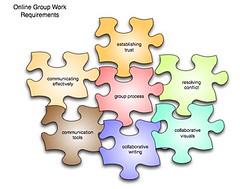
If groupwork is part of your course, you may want to share this resource with your students. It’s all about group process in the online environment. We’ve mainly pulled together resources from elsewhere but found some excellent pieces on managing conflict, which were developed at UBC.

The Online Groupwork Toolkit is posted on the LEAP site for easy access and we are sharing the content via RSS with the Orientation to Online Learning – which will be revised for May.

Spam prevention powered by Akismet