Step 1: Visit the Centre for Accessibility Webpage
Click on Student Login on the Centre for Accessibility webpage to access the ClockWork exam portal where you will send your LOA. This is also where you will schedule for an accommodated exam.
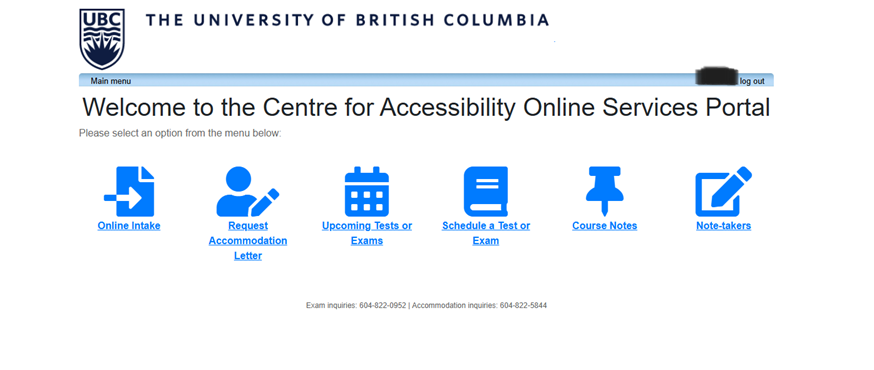
After logging in, you will see the following icons:
- Online Intake
- Request Accommodation Letter – Choose this option to send your LOA to your instructors’ portals.
- Upcoming Tests or Exams – Confirm that your exam bookings have gone through or to cancel a scheduled accommodated exam.
- Schedule a Test or Exam – Use this to schedule your accommodated exams (e.g., quizzes, midterms, or final exams). You cannot schedule your accommodated exams prior to sending your LOA.
- Course Notes – A portal for students to request a note-taker and access course notes.
- Note-takers – A portal for those selected as a note-taker.