Blog Archives

Student Response Systems

A Student Response System is a wireless response system that allows individuals to request information and for students to respond by using a “clicker” or hand-held response pad to send his or her information to a receiver (University of Wisconsin-Milwaukee, n.d.). Some of these Student Response Systems include iClickers, Socrative, PollEverywhere, and Padlet.

One noteworthy SRS is Plickers. As described on their website, “Plickers is a powerfully simple tool that lets teachers collect real-time formative assessment data without the need for student devices”. All you simply have to do is download the free app on your iOS or Andriod device and print the cards on their website. This is a nice way of doing formative assessment using new technologies without the costs associated with introducing devices (such as iClickers).

To use Plickers, teachers would simply create the multiple choice questions on their free account. To use the Plicker cards in class, each student holds up their card. Each side of the card corresponds to A, B, C, and D. The teacher holds their phone up and scans it across the class.

Check out this YouTube video to see how it works:

For information about other Student Response Systems, check out the new Apps & Programs page.

Resources:

References:

University of Wisconson-Milwaukee (n.d.). Student FAQs. Learning Technology Center. Retrieved from http://www4.uwm.edu/ltc/srs/students/docs/StudentFAQs.pdf

Leave a Comment

by | December 19, 2014 · 9:45 am

E-books in the Classroom

E-books, or electronic books, are being increasingly common in the classroom across all grade levels. Slowly but surely, e-books are becoming more popular and are starting to replace some physical books. Particularly in higher education, e-books are a cost-effective option for students to purchase, not to mention that they are significantly lighter in weight. One reason why e-books are extremely popular is its ability to transport a large collection anywhere and everywhere. E-books can be read on mobile devices, dedicated e-readers, or on the computer. As a result, e-books can be more cost effective than print publication (Felvegi and Matthew, 2012).

They can be found in increasing numbers of school libraries and classrooms where they are not only enhancing teaching and learning; they are also profoundly changing the signature pedagogy of reading literacy instruction (Felvegi and Matthew, 2012).

The transportability of e-books means that the learning experience can extend beyond the classroom. According to Vaala, years of research have illustrated a relationship between reading at home and children’s literacy skill development.

kindle-381242_640

Articles to check out:

Resources:

Leave a Comment

by | December 17, 2014 · 11:25 am

How to create slideshows

If you have a series of photos you would like to upload on your ePortoflios, there are a number of ways that you can create a gallery.

One of them is through the “Portfolio Slideshow” function. When you create a new post or page, if you scroll down the bottom of the editing page, you will see a box called “Portfolio Slideshow”. All you have to do is simply upload or select from your media library, and follow the instructions from there. The gallery will look similar to the one featuring the photos from the Mystery Skype session. This support page on WordPress provides further detail. Remember to keep in mind that UBC Blogs is more limited than normal WordPress.

Here are a few other photo gallery sites that will give you the embed code . When you have an embed code of any sort (YouTube, Vimeo, etc.), you want to paste it in the text editor, which reads HTML.

  • Flickr
  • Slideshare (Can upload PowerPoints, PDFs, Word Documents- no image files/jpg)

You can also create photo collages on these sites, and you can download the final product to your computer:

Leave a Comment

by | December 11, 2014 · 10:43 am

Games: purpose and potential in education

Let my playing be my learning, and my learning be my playing. -Johan Huizinga

Games and play are typically overlooked (Prensky, 2001) by many as a way for students to learn. As defined by Sharp (2012), stealth learning is “when an instructor uses clever, disguised ways to introduce learning objectives through non-traditional tools, such as games, to encourage students to have fun and learn”. Game-based learning allows teachers to incorporate ‘stealth learning’ in the classroom. Like game-based learning, gamification is a way to infuse play into the classroom. Gamification is “applying typical elements of game playing (e.g., point scoring, competition with others, rules of play) to other areas of activity” (Davis, 2014).

Based on Prensky (2001), game based learning can be used for:

  • Material that is dry and/or technical
  • Challenging subject matter
  • Audiences that are hard to reach
  • Developing critical thinking skills
  • Strategy development and communication.

game-259109_640

Some of the benefits of gaming in the classroom include increased memory, class performance, social benefits, and improving the transfer of learning (Sharp, 2012). The social benefits of play include building social competence and confidence in dealing with peers (Singer et al., 2006). Playing games is also essential to children’s ability to regulate their behaviors and emotions (Singer et al., 2006). By playing games, students learn that rules are a part of our daily lives (Sharp, 2012). However, unstructured playtime may be limited in today’s standards and outcomes driven classrooms. For example, some schools have reduced or cut out recess altogether, while others have reduced lunch break hours. Interestingly enough, a Quebec elementary school has introduced a one-year pilot project on a near-complete ban on homework, with the goal to ease pressure on parents and to improve student performance (Shingler, 2014).

Resources:

References:

Davis, V. (2014). A Guide to Game-Based Learning. Retrieved 5 December 2014, from http://www.edutopia.org/blog/guide-to-game-based-learning-vicki-davis

Prensky, M. (2001). Digital Game-Based Learning. Retrieved from http://www.marcprensky.com/writing/Prensky%20-%20Ch1-Digital%20Game-Based%20Learning.pdf

Sharp, L. (2012). Stealth Learning: Unexpected Learning Opportunities Through Games. Journal of Instructional Research, 1, 42-48. Retrieved from https://cirt.gcu.edu/jir/documents/2012-v1/sharppdf

Shingler, B. (2014). Less work, more play: Quebec elementary school bans homework for the year. Retrieved 9 December 2014, from http://www.theglobeandmail.com/news/national/less-work-more-play-quebec-elementary-school-bans-homework-for-the-year/article20295710/

Singer, D. G., Golinkoff, R. M., Hirsh-Pasek, K., & MyiLibrary. (2006). Play=learning: How play motivates and enhances children’s cognitive and social-emotional growth. Oxford; New York: Oxford University Press.


Leave a Comment

by | December 10, 2014 · 11:07 am

Introduction to digital technologies commonly found in elementary schools

The elementary school experience today is vastly different from what it used to be like not too long ago. Thanks to the rapid development of various technologies, how they are used in classrooms has vastly evolved. Eight years ago in elementary school, I remember walking down to the computer lab with my classmates. We would impatiently wait for the teacher to unlock the door, then we would enter and choose our favourite computer. Typically, a portion of the time was spent typing away on All the Right Type or creating artwork on KidPix (does this ring a bell?). Other times, we would spend time in the computer labs working on research projects. After everything was done, we would be allowed free time on the computers.

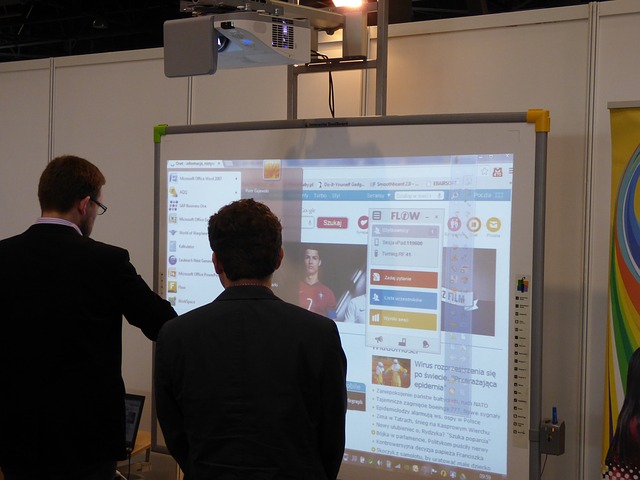
Nowadays, students don’t even have to leave the classroom to access technology anymore. Often times, they are already installed in the classrooms. One of the most recognizable technologies are SmartBoards, which is one type of Interactive Whiteboards (IWB). IWBs strive to increase student engagement by providing a focal point for instruction, interactivity, gaming, and animations. Gone are the days of overhead projectors!

interactive-whiteboard-332239_640

Other common technologies include iPads and laptops. Often, classrooms or school libraries will have carts of iPads and laptops available for loan during school hours. When using any device, encourage small group work so that students get the advantages of learning to use the technology while fostering social interactions.

Regardless of whatever technology you decide to utilize, remember:

“The mere introduction of the technology does not guarantee an enhanced learning environment. The role of the teacher, his or her knowledge of the technology and how to use it, will be the most important factors in determining if successful progress can be identified and supported” (Hockly, 2013). The view that any technology by itself will lead to “better” learning is misleading (Hocky, 2013).

Articles worth checking out:

References:

Hockly, N. (2013). Interactive whiteboards. ELT Journal, 67(3), 354-358. doi: 10.1093/elt/cct021

Leave a Comment

by | December 3, 2014 · 1:29 pm

Video Editing

Want to edit some video footage you have? Is your practicum video too long/large to upload onto CLAS? Here are a few tools for you to cut your videos so that they are within the upload limit (2GB/video).

  • Final Cut Pro
  • iMovie
  • Windows Movie Maker
  • Snagit or Camtasia (You can download them for free through the “Resources” tab on Connect)

With Final Cut Pro, make sure you choose the “self-contained” export option instead of “reference file” when exporting with File –> Export.

Check out this Video 101: Editing Basics from Vimeo Video School on Vimeo.

Leave a Comment

by | November 28, 2014 · 4:22 pm

Social media: blending the social and the academic worlds

When one thinks of social media, Facebook and Twitter are two platforms that come to mind instantly. Typically, people think of them as forms of entertainment that keep us glued to the screens of our mobile devices. However, it’s time to reinvent the way we think about how social media can be used. Increasingly, aspects of social media are being integrated into the learning experience, ranging from K-12 all the way to post-secondary education. In fact, I created my first Twitter account because of a journalism course I took in my first year as an undergrad. The possibilities are endless, and some will be touched upon later. Social media isn’t solely about Facebook and Twitter, either. It also encompasses platforms such as LinkedIn, Youtube, Flickr, blogs, wikis, and discussion forums.

As an educator, there are many ways that you can incorporate aspects of social media in your own practice and teaching goals. For starters, you are all using UBC Blogs for your ePortfolios! A couple of ideas to get you started:

  • Setting up a classroom blog where students can reflect on discussion questions, key concepts or images. This can serve to extend their learning, share their own ideas, thoughts, and creations creations. Remember, due to the Freedom and Information and Protection of Privacy Act (FIPPA), any student content cannot be uploaded to any sites that are hosted on U.S. servers. For this reason, UBC Blogs is a good platform to use. You can continue to access your existing pages after you graduate and you can create new sites, providing that you remember your CWL!
  • Signing up for a class Twitter account. With a class account, you can moderate what kind of content is being tweeted out. Through the account, some things you can do include reaching out to community members, other classrooms around the world (think: Skype in the classroom), and public figures (authors, astronauts, athletes, you name it).

social-media-54536_640

Before you get started, consider the following. By no means is this an exhaustive list:

  • What is the purpose for your use of social networking technologies?
  • Are you wishing to moderate a discussion?
  • How involved do you want to be?
  • What affordances and level of control do you need or require?
  • How public or private do you wish this space to be?
  • Can you adjust the privacy settings?
  • Will students want or need access to this space after the course is complete?
  • Are you complying with the minimum age requirements of the various platforms?
  • Do you have parent or guardian permission? Are media consent forms signed
  • Copyright: are you using content with author’s permission? Attribution?

However you decide to integrate social media into your own practice and lesson planing, keep this in mind:

The biggest risk is not taking any risk… In a world that changing really quickly, the only strategy that is guaranteed to fail is not taking risks. -Mark Zuckerberg

Resources and reads:

Leave a Comment

by | November 27, 2014 · 9:59 am