Archives for category: ubc blogs

Yesterday I went though some of my past posts, some of them only contain a video I found on YouTube or Vimeo. Since I haven’t been paying attention to my blog, some of these embeded videos were not working. They relied on a WordPress Plugin that might have been disabled on my blog during an update or two.

As far as I know there are two ways to fix my broken videos.

Option 1 — Enable the plugin again

Go and reactive the plugin by going to:
Dashboard → Posts → Plugins

The plugin is called “Viper’s Video Quicktags 6.2.17″

This works but it might break in the future again. However it is quite easy to fix.

Option 2 — Not rely on the plugin

This is the fix that I went with. It meant that I had to go back to each post that I found had a broken video and replaced this

[youtube]http://www.youtube.com/watch?v=Y6nO5RZLjdw[/youtube]

with something like this

http://www.youtube.com/watch?v=Y6nO5RZLjdw

This new method is a really easy way to embed videos.

Instead of relying on a plugin I just pasted the url to the YouTube, Vimeo or Flickr page
and WordPress inserts the proper embed code instead of the url. I have to admit it is a bit like magic.

Here is an example:

http://vimeo.com/4446890

That’s all you need to do. So next time you want to post a quick video into you blog just copy and paste the url of the youtube page you are on into a new post and WordPress will do its part to embed the video properly.

This works because WordPress supports Oembed.
Here is a bit more information on how you can use it and what websites are supported.

And now for your entertainment, another video by the talented David Ko. Enjoy.

Warning: Sometimes it is better not to know how much web traffic you get to your blog. Yesterday I had only one person visit my blog.

So since I am planning to write something here everyday more often, I thought “wouldn’t it be fun to know how many people and bots actually see what I am saying.

If you are curious here is what you can do:

Step 1. Get your Tracking Code

Get a google analytics account your google account will allow you to login in. If you are a bit confused how to get that here are a some instructions There are a bunch of Video Tutorials on YouTube as well that you might find useful.

Step 2. Add the Tracking Code to WordPress

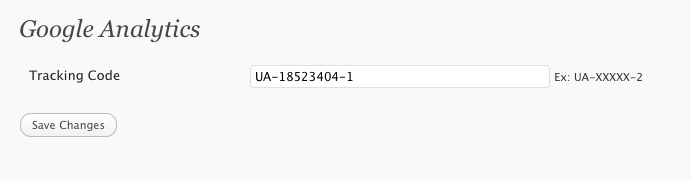
Go to Dashboard → Settings → Google Analytics
and add the Account ID or aka. Tracking code to your site. it is of this form UA-XXXXX-2.

Save the changes by clicking the button.

And you are done. Now you just relax and wait a few days and see how many people go to your site.

Customizing your blog can be fun. Take it from me, I have probably switched between themes more often then I have written blog posts.

Here is a quick overview of how I achieve the current look using the new WordPress default theme TwentyTen.

Step 1

Enable Custom CSS. Go to Dashboard → Posts → Plugins and active Simpler CSS 0.5

This will give you access to Dashboard → Appearance → Custom CSS

Step 2

Copy and Paste the following CSS in to your Custom CSS.

#site-description{width:300px;}
#site-title { width:640px;}
#branding img{ display:none; }
#access{ margin:-85px auto 10px; background:none; }
#access .menu-header ul, div.menu ul{ float:right; }
#wrapper{ margin:20px 0 0 10px; border-right:10px solid #D9D8C4; }

#content, #content input, #content textarea {
 font-size:12px;
 line-height:18px;
 font-family:"Lucida Grande","Lucida Sans Unicode",sans-serif;
}
#access ul li.current_page_item  a{ background:#333;}

Step 3

Go ahead and change the background color to #EEECD6
You can do that under Dashboard → Appearance → Background

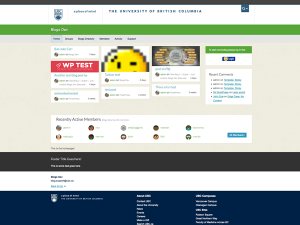
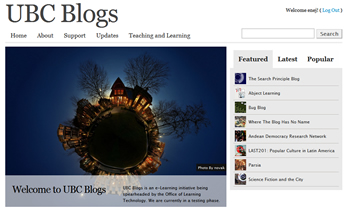
Today is kind of a big day, for my little office big center. We just launched the new blogs.ubc.ca. mark 2, aka UBC Blogs – all you need is love, aka UBC Blogs – is going social. New beginnings are exciting, because of thier potential to become something amazing.

Thanks to everyone that made it happen.

A brand new look for blogs.ubc.ca is finnaly out.

But we did anyways.

Spam prevention powered by Akismet