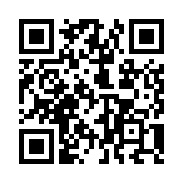
A QR (Quick Response) Code is a type of barcode you can use to point your students towards information or online content. They are free, easy to make and quick to access (once you have downloaded a QR code reader) and as long as you are able to point and hold the camera on your device over the code. QR Codes can be printed and scanned individually or displayed on a high res projector and scanned by the whole class.
Ways to use QR Codes in your classroom/school:
- Aid in student research by providing links to online sources
- Create a treasure hunt or quest – this can be a physical journey like ours around the library or a strictly virtual journey in one classroom. I’ve even used QR codes on a ‘Community Unit field trip’ where groups of students, along with a parent, visited various locations around the community getting clues and prompts to learn more and find their next location!
- Organize resources in your classroom library or help your students find resources around the school
- Share long URLs more easily (especially with younger studnets)
- Have students create QR codes to share multi-media projects or other content/questions/info with the class or the wider community
- VISIT the following for more comprehensive info and lists of ways to use QR codes in educational contexts:
- a ‘Crowd Sourced’ Google Slide show – Ways to Use QR codes Check out the ideas shown, add your own!
- LiveBinders: QR Code Binder
- Article: exploring the educational potential of QR codes
- Resource Blog: Fractus Learning – QR codes in education
How to create a QR code:
-
- Create and/or Decide on the content, multimedia, text, URL etc to which you want to link
- Find a QR Code Generator online (there are so many – I like the features allowed free with http://www.qrstuff.com/; I also use https://www.the-qrcode-generator.com/)
- Add your content and create.
- Download or embed the QR code (as I’ve done below… do you know where this QR code goes?)
How to scan or read a QR code:
- Find and download a QR code reader compatible with your device – again, there are many, but I like QR code reader – simple name, easy to remember and cross-compatible!
- Launch the app by clicking on it
- Now hold your device’s camera centered over the QR code so that it appears in the ‘lines’ or ‘box’ provided by the reader. Tap scan and you should be on your way!
Now get Scanning…