Playdough is a tactile educational tool that can be used as a way to incorporate creativity and kinesthetic learning into lessons. It is inexpensive and easy to make using available kitchen ingredients (flour, salt, water & oil).
Playdough can be used throughout the curriculum for all ages: it can be an effective form of experiential learning from the development of fine motor skills in preschool children (Rukmini et al., 2022) all the way to post-secondary students learning neuroscience anatomy (Gopal & Bhooshan, 2021). Further, having students engage in hands-on learning increases engagement and can lead to improved outcomes.
Although playdough can be purchased, it is relatively cheap and easy to make, and can last several months in the sealed bag or container before being disposed of in the compost. Here are two of my favorite recipes:
Ideas for Elementary & Middle Years Teachers:
- Sensory math activities (playdough can be used as a manipulative). For example, matching numbers with small balls of playdough or squishing playdough balls during counting
- Using playdough to model and learn about 2D and 3D shapes
- Exploring fractions and equations using fractions

- Telling or re-telling a story using playdough.
- Students might even create play
- Building structures or engineering (you could include other resources, such as toothpicks to create more complex structures)
- Colour theory – students can blend small balls of colored playdough to create a colour wheel.
- Spelling words by molding letters or by using letter cookies cutters or alphabet stamps
- Using playdough to explore patterns (ex. colour, shape, size, etc.)
- Learning about Earth and the solar system
- Modelling the phases of the moon or exploring the moon’s surface and craters
- Telling time using playdough to make the hands of the clock
Ideas for Secondary Teachers:
- 15 ways to use playdough in middle & secondary classrooms (Edutopia article) – ideas include doing a gallery walk, mapping, reconstruction, timeline, review, and more
- Depict a scene from a reading
- Sculptorades as a review game (like Pictionary, but sculpting with playdough instead of drawing)
- Metaphorical thinking (K20Learn.edu) – Students can use playdough to sculpt their metaphors
- Create models of body parts or organs (anatomy)
- Create models to learn the parts of plant or animal cells (link to Youtube) and their functions or embryo & stem cells (National Library of Medicine)
- Engineering or design using images of buildings, landmarks or bridges as inspiration – design challenges can be a great way to build community!
- Modelling volcanos (link to Youtube) or other natural phenomena
- Building and exploring neurons (pdf from Indiana.edu)
Higher Tech Ideas for K12 and beyond:
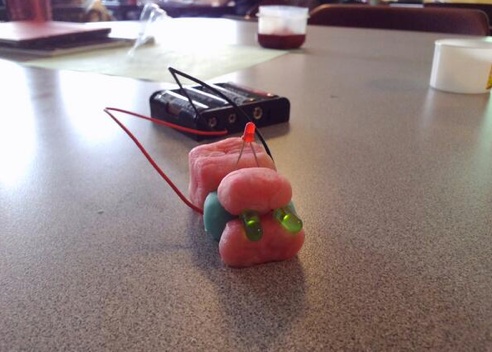
- With Squishy Circuits students can learn about and create complex circuits while expressing their creativity. Concepts including conductivity, resistance, simple circuits, parallel and series circuits, short circuits and switches. The Professor responsible for Squishy Circuits at the University of St. Thomas shares recipes for both conductive and non-conductive dough.
- Use Playdough to construct a ‘MakeyMakey’ piano or game controller. MakeyMakey is a basic micro-controller appropriate for all ages.
- Model and sculpt characters and setting to tell a digital story
- Stop Motion Animation is an excellent way to incorporate digital tools with hand-building and creative expression. Tools like Stop Motion Studio or iMovie can be used as they have ‘auto timing’ features that make stop motion more efficient. The example below shows how a very effective movie can be created using simple techniques.
References:
Rukmini, R., Mustaji, M., & Mariono, A. (2022). Effectiveness of a playdough game in stimulating fine motor skills and cognitive skill: Early childhood education. The International Journal of Early Childhood Learning, 29(1), 1-12. https://doi.org/10.18848/2327-7939/CGP/v29i01/1-12
Gopal, V., & Bhooshan, L. (2021). The feasibility of using playdough and household materials as an educational tool for self-learning of neurosurgical anatomy during COVID-19 lockdown. Anatomical Sciences Journal, 18(2), 92-99.
Guest post by Peer Mentor Lindsay Cunningham (Ph.D. student, EDCP), May 2024.

 Some apps are simple viewers while others are “gamified” and/or more interactive.