Tag Archives: hooks

Puzzle of planning: types of hooks

The big picture of planning:

There are many ways of thinking about planning. Wiggins, Wiggins & McTighe (2005) suggest teachers are designers of activities and experiences to support students’ learning. As designers, teachers may think about planning as a puzzle they are building: a lesson is a group of pieces that together form a bigger picture. In this sense, the authors divide the planning into three moments: 1) desired results 2) assessment evidence, and 3) learning plan. However, each one of these moments has many other small slices. Hooks are one moment of stage 3: the learning plan.

What are hooks?

Hooks (links to post in this blog) are strategies used to

  • activate students’ previous knowledge,
  • engage students in the teaching and learning process
  • create a bridge between teacher and students (Auseubel,1978).

What are the types of hooks? When do I use each type?

Even though most hooks are used at the beginning of a lesson or activity, hooks can be a resource for many moments in the classroom. That is why we can classify hooks into different types and each one of them has a specific pedagogical function. We will look at A) Starting Hooks, B)A Hook as an Activity C) Background Hooks

A. Starting with a hook

These are in general short and used at the beginning of a lesson or activity. They are a great strategy to grab students’ attention and spark their curiosity to engage in the next learning moments. Starting hooks are also a contextualized way to understand students’ previous knowledge about the topic. However, in general, starting hooks do not develop new knowledge. They only engage students in the next main activity which intends to teach another content or competence. There are many starting hooks such as stories, analogy, pictures, maps, jokes, discrepant events, controversial statements, etc.

You can find some resources about starting hooks in these links:

B. A mix of hook/activity

They are a mix of hooks and activities because they are designed to engage students but also to develop some new learning. They can be used in many moments of a lesson and take more time. The general idea is to make students engage in some fun activity while they are learning something new. Some examples of this type of hook are games, field trips, hands-on activities, stations, data collection, etc.

You can find some resources about the mix of hook/ activities in these links:


C. Background Hooks

This type of hook is called background because it itself does not have any curriculum goal, but it can be the perfect scenery for learning activities. For example, a teacher wearing a bear costume may be funny but not pedagogical. However, if the teacher uses this costume to grab students’ attention to a lesson about Canadian geography and fauna, their students probably will learn more. Some background hooks can be props, costumes, scenery, role play, etc.


Guest post by Peer Tutor Ariane Faria dos Santos (Ph.D. EDCP), peer mentor, 2021

1 Comment

Filed under Activating Strategies, Blog Posts, Lesson & Unit Planning, Planning

Hook ‘em – Using Visuals and Multimedia to Engage Students

hook-243684_1280

whatisit.png

A hook or activating strategy is intended to engage students and help them access and apply prior knowledge to the current concept, lesson or unit of study. Auseubel (1978), recognizes that the activation of prior knowledge helps to deepen learning by bridging between what was known and new material.

Creating just the right motivator or anticipatory set for your classroom is essential to engaging your particular audience. While the content of this section of your ‘lesson plan’ or sequence will vary, there are a number of strategies that work for a variety of audiences!


Why-is-it-relevant-360x82.png

 Teachers who employ a variety of strategies, modes and mediums – especially those that contain multi-media content – are more likely to engage and hold the attention of today’s ‘Digital Natives’ (Prensky, 2007). For this reason, Digital Storytelling and the use of high interest graphics are recommended for use as hooks in lesson plans (Bernard, 2006). In particular, to grab learners in the digital age, a ‘TEASe’ (Technology Enhanced Anticipatory Sets) is an excellent option. Combining high interest visuals with sound and even text in a short video or presentation can activate prior knowledge and engender excitement in your audience. Slideshare presentation: When teasing is a good thing!

Read this interesting article about the inclusion of Hooks in a Secondary Science Classroom to help transform learning and engage students or this ASCD article about the value of a well designed ‘TEASe’

Download this handout for a short description of the theory and practice around hooks:  SandboxHooks_rev 2019


how-to-get-started-360x80.png

Good Hooks should capture student interest; connect to prior knowledge or experience and might introduce or explain what is to be learned (learning targets) and how it will be learned. There are so many different strategies for hooks and each individual teacher has his/her own favourites:

  • Download this pdf file of various ‘activating strategies’ for the classroom.
  • Use WORLD MAPPER to view simulations (a map that morphs from geographic to ‘thematic’ and shows population and relative size…).
  • Have you seen the live tweets of the world map? Tweetping shows live tweets ‘as they happen’ while ‘OneMillionTweets’ shows worldwide activity clusters – you can even filter by hashtags – where in the world are people tweeting about a specific current event? an earthquake? etc. Consider how you might garner interest in an issue or current event through a live feed of some sort on display – pick a hashtag and show the feed to your students in real time.
  • Guided Visualization: Have a high quality image or video displayed and engage your students in a guided visualization exercise – Alice stepping through the looking glass… a tornado for that extreme weather unit and you are Dorothy…
  • Hook Stations are an active and hands-on form of engagement, can you think of a tech integration opportunity for one station?
  • Create cognitive discord with your own mashup or present discrepant events (a demonstration that taps into common misconceptions)
  • Create an infographic to share some key ideas, images or questions. Try:  http://visual.ly/ or http://piktochart.com/

Display an image and engage your students in a guided visualization or discussion. Searching for images:


References:

Ausubel, D. P. (1978). In defense of advance organizers: A reply to the critics. Review of Educational

Research, 48, 251-257.

Bernard, R. (2006). The Educational Uses of Digital Storytelling. Society for Information Technology & Teacher Education International Conference 2006, 2006(1), 709–716.

Brupbacher, L., & Wilson, D. (2007). Enhancing the Power of Anticipatory Sets Using Multimedia. In R. Carlsen, K. McFerrin, J. Price, R. Weber, & D. A. Willis (Eds.), Society for Information Technology & Teacher Education International Conference 2007 (pp. 1922– 1925). San Antonio, Texas, USA: AACE. Retrieved from http://www.editlib.org/p/24858

Prensky, M. (2001). “Digital Natives, Digital Immigrants”. On the Horizon 9 (5). Lincoln: NCB University Press.


videopng-360x61.png

https://www.youtube.com/watch?v=o9L98X1I944

Leave a Comment

Filed under Not Subject Specific, Resources

Engage & Assess: Tech Integration for 21st Century Learners & Teachers!

Engaging students, maintaining that engagement and also ensuring you are gathering valuable formative assessment to support planning, teaching and learning are critical aspects of day to day teaching. Digital Technologies, when incorporated mindfully, can support both engagement and assessment. In our ‘TC mini-conference’ session, participants experienced some active learning strategies and tried out two student response systems. While knowing your students, knowing what access you have and also recognizing that not all apps are created equal, as discussed, it’s still more about how you use the particular technologies you have selected than the tech itself…

Here are the free digital technologies explored today:

Remember:

It’s not simply what you use, it’s how you use it!

Tips to engage students:

  • Teacher as facilitator should remain active and engaged
  • Hook students – activate their brains as they enter the classroom and consider some ‘gameification’.
    • Use music (activates the brain; will help with volume and give students the sense that they are having ‘private’ discussion to encourage them to actually speak!)
    • USE ACTIVE Learning strategies (mobile devices make this possible even when integrating digital tech)
    • having a discussion prompt, setting the ‘plicker card’ on their desk to get them ‘ready’
    • For my own ‘hook’ today, I used sodium polyachrylate
      • This is the ‘stuff’ found in diapers!! Here’s a lesson plan that helps explain how it works: http://nobel.scas.bcit.ca/debeck_pt/science/diaperAbsorber/diaper_p1.htm
      • Cool thing about it is that it goes back to it’s original form if you leave it out to evaporate (takes awhile but eventually returns to powder form).
      • Caution – DO NOT get it in your eyes or in students eyes when in powder form – it absorbs water and can be harmful to the viscous membrane of the eye. I always wear eye goggles when using it with students as modelling (forgot them at home today!)
      • I have had students handle it before but usually have them wear disposable gloves and eye protection ‘just in case’.
      • You can buy it from science supply stores https://www.boreal.com/store/product/8887889/sodium-polyacrylate
        • Science World also sometimes carries packets in their gift shop
        • I’ve also been known to ‘share’ my supply with Keen TCs! ;D
  • Provide multiple means of sharing (and recognize that not all learners are comfortable with whole group sharing)
    • Hands up only works with some students (often leads to a few students dominating)
    • Use Student Response Systems or co-creation spaces that allow for anonymous response (these can even be sticky notes to post up on a ‘real’ wall)
    • provide adequate wait time
    • when students can see the responses of others ’emerge’ in real time, they may be more encouraged to participate and can also use the early responses as prompts to support their own thinking.
  • Know your audience and your context and be thoughtful in how you display responses
    • High stakes questions and those with clear right or wrong answers – may be best to NOT display graph of responses
    • Be sure to moderate live responses on digital walls
    • Some questions/content may not be appropriate for digital sharing…


Leave a Comment

Filed under Blog Posts, Not Subject Specific

Creating Your Own Trailers to use as Hooks

Now that you’ve learned a bit about hooks, you might be interested in creating a TEASe. Also known as a Technology Enhanced Anticipatory Set, the purpose of a TEASe is to introduce and stimulate student interest on a topic. Although you can find a number of TEASes made by other teachers, it can be fun to be a little more involved and hands-on. Regardless of your skill level, there are a number of user-friendly programs available at your fingertips. Remember, budget your time wisely. Consider if the value of the end product is worth the amount of time you spend.

Here are a few note-worthy programs:

  • Animoto (Android and iOS)
  • iMovie (Use the trailers feature)
  • Videolicious (iOS only)
  • Windows Movie Maker

If you would like to use one of these programs but don’t have access to them, you are free to use the computers in both the Mac and Windows labs (Scarfe 1006 and 1007). If you would like access to iPads, let Jenny know and she will provide access.

Resources

Leave a Comment

by | October 16, 2014 · 3:53 pm

Hook, Line, and Sinker- Engaging Students with Multimedia and Visuals

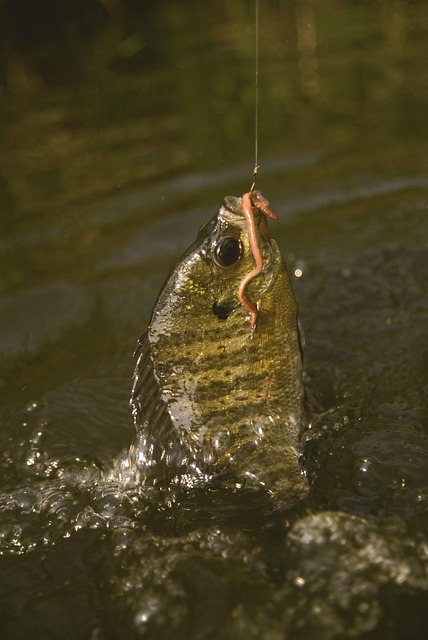
macrochirus-387022_640- From Pixabay, no attribution requiredHooks, or activating strategies, are intended for students to link their prior knowledge to the current concept, lesson, or unit of study. Hooks can also build students’ background knowledge in a particular area. Auseubel (1978) recognizes that the activation of prior knowledge helps to deepen learning by bridging the gap between old and new material. Just like Goldilocks and the Three Bears, it is essential for educators to use the right amount of multimedia and visuals in addition to knowing their audience. Even though the lesson material will vary, there are a number of strategies that work for a variety of audiences. Hooks can include posters, photos, videos, hands-on artifacts, and books.

Good hooks should capture student interest and connect to prior knowledge or experience. As well, hooks should explain what is to be learned and how it will be learned. To grab learners in the digital age, a TEASe (Technology Enhanced Anticipatory Sets) is an excellent option. Combining high interest visuals with sound and even text in a short video or presentation can activate prior knowledge and engender excitement in the audience.

Tips and tricks:

  • Guided Visualization: Have a high quality image or video displayed and engage your students in a guided visualization exercise. For example- Alice stepping through the looking glass… a tornado for that extreme weather unit and you are Dorothy…
  • Try using hook stations in your classroom. They are an active and hands-on form of engagement. Can you think of a tech integration opportunity for one station?
  • This is a good resource of various “activating strategies” from West Virginia StateSouth Carolina, and Delaware.
  • Create cognitive dissonance with some of these image generators.
  • If there’s a Smartboard available in your classroom, try using some of the resources on the Smart Exchange. Remember, you can customize the content to suit your needs.

Sites where you can find some great visuals:


Leave a Comment

by | September 29, 2014 · 9:15 am

Hook ‘em – Using Visuals and Multimedia to Engage Students

A hook or activating strategy is intended to engage students and help them access and apply prior knowledge to the current concept, lesson or unit of study. Auseubel (1978), recognizes that the activation of prior knowledge helps to deepen learning by bridging between what was known and new material.

Creating just the right motivator or anticipatory set for your classroom is essential to engaging your particular audience. While the content of this section of your ‘lesson plan’ or sequence will vary, there are a number of strategies that work for a variety of audiences!

In particular, to grab learners in the digital age, a TEASe is an excellent option. Combining high interest visuals with sound and even text in a short video or presentation can activate prior knowledge and engender excitement in the audience.

Examples of ‘TEASes’ (Technology Enhanced Anticipatory Sets)

To learn more about TEASes and to find access to images to create your own Hooks, download the handout and/or visit Scarfe 155 this week or anytime (Wednesdays and Fridays this Fall)!

Sandbox_Hooks_Oct2013

Good Hooks should capture student interest; connect to prior knowledge or experience; explain what is to be learned and how it will be learned. There are so many different strategies for hooks and each individual teacher has his/her own favourites including:

  • Use WORLD MAPPER
    To view simulations (a map that morphs from geographic to ‘thematic’ and shows population and relative size…)
  • Guided Visualization: Have a high quality image or video displayed and engage your students in a guided visualization exercise – Alice stepping through the looking glass… a tornado for that extreme weather unit and you are Dorothy…
  • Twelve non-techie hook ideas to try http://bit.ly/1g1TAsj
  • Hook Stations are an active and hands-on form of engagement, can you think of a tech integration opportunity for one station?
  • Create cognitive discord with your own mashup or present discrepant events (a demonstration that taps into common misconceptions)

Display an image and engage your students in a guided visualization or discussion. Searching for images:

Leave a Comment

Filed under Activating Strategies, Lesson & Unit Planning