Tag Archives: programming

Ozobot: Smart and social robot

Ozobot is a miniature smart robot that can follow drawn lines or roam around freely, detect colors and can also interface with all the popular programming languages (especially Python), and it has Bluetooth for downloading programs! With Ozobot students will have hands-on opportunities to learn about robotics and programming while working on STEM/STREAM (Science, Technology, Reading, Engineering, Arts and Math) applications.


Ozobot is a simple and fun way for kids to learn about basic or advanced programming and coding practices.

With Ozobot, students from kindergarten to grade 12 can begin learning about the realm of robotics. Ozobot allows students to create routes or adventures for their robot with colored markers and codes. In fact, students can begin learning about robotics using the colored markers and then advance into coding as they begin to understand the programming process. Ozobot is thus an excellent tool to use in STEM/STEAM classes to engage and inspire your students!

By using the mat that comes with the Ozobot Evo Education Kit, teachers and students can observe how this smart and social robot reads and interacts with different circumstances. In this case, you can use the Evo app to control and monitor your Ozobot Evo by designing custom blocks and building a sequence of events.

Check out the Teacher’s Guide to explore some ideas on how coding activities can be integrated into the classroom.


All Teacher Candidates can sign out a kit of Ozobots from the Education Library to use in their practicum classrooms. Visit this catalogue to view when the kits are available and to sign them out.

Before you look for resources, figure out the model of your Ozobot – Bit or EVO

Next, choose how you want to introduce the Ozobots to your students. 

  • Are you going to play games that don’t require the Ozobots first?
  • Are they going to practice drawing lines and following their own pathways? USE THIS CODES CHART
  • Are you using the app to have students block code instructions?

videopng-360x61.png

x=2

Reference
Ozobot teacher’s guide. (n.d.). Retrieved May 15, 2017, from http://files.ozobot.com/stem-education/ozobot-teachers-guide.pdf

Colour Codes Bot Camp (August 2018). Retrieved April 11, 2018, from https://youtu.be/uRsFoAX4rGA

Ozoblocky Bot Camp (August, 2018). Retrieved April 11, 2018, from https://youtu.be/mHAJgIFlfGM


Images obtained from https://ozobot.com/press-kit 
Leave a Comment

Filed under AppliedDesignSkillsTechnologies, Not Subject Specific, Resources

Unplugged Coding : integrating coding activities in your classroom


cc Kathy Cassidy

whatisit.png

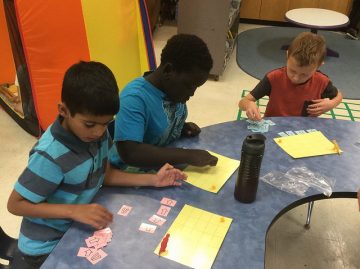
Unplugged Coding is a collection of learning activities that introduce coding and programming through engaging games that only use cards, crayons, markers, etc. For younger students, teachers can skip the detailed concepts of computer coding and give them a better understanding of basic computer science knowledge and inspire them for future exploration. For all learners, unplugged activities can help build computational thinking without the need for digital devices. For more in this blog about coding (both plugged and unplugged) and links to BC curriculum, please visit the ‘Coding in your Classrooms’ post.


Why-is-it-relevant-360x82.png

Through Unplugged Coding activities, students will be able to develop computational thinking through concepts such as binary numbers and algorithms without using computers or other devices.

Unplugged coding meets Plugged coding: Scratch is a visual programming language. For a brief introduction to Scratch, have a look at Drag and Drop Programming: Scratch. In There are also some unplugged scratch coding cards you can use in the classroom for an analog approach. You can find a teacher’s guide for using Scratch cards in your classroom on 8 ways to use Scratch Coding Cards in Your Classroom.


how-to-get-started-360x80.png

Interested in integrating Unplugged Coding into your classroom? Interested in moving from unplugged to plugged (via visual programming)? Here are two websites that might be useful in developing your lesson plans:

https://code.org/curriculum/unplugged

https://www.csunplugged.org/en/topics/

http://scratched.gse.harvard.edu/stories 

You might also try these printable ‘scratch’/visual block coding cards. They can be used to introduce visual programming and build algorithmic and computational thinking skills during morning messages, transition or sponge activities or when introducing a lesson. English from ‘ScratchEd‘ or French from Code BC

Or this kinesthetic activity, The Thirsty Robot, where students act as robots and programmers, give and receive commands, encode and decode programs (can be adapted to multiple levels).

For grades 6-9 learners, this series of resources (student and teacher resources) from the Victoria School District helps to build computational thinking and computer programming through unplugged activities.


videopng-360x61.png

Leave a Comment

Filed under AppliedDesignSkillsTechnologies, Resources

Code.org: unplugged and plugged activities

stockvault-random-numbers136890

whatisit.png

Code.org aims to increase access to computer science in schools. It contains a large collection of activities, lesson plans, and tutorials that encourage school-age learners to explore the basics of computer programming. Topics include computational thinking, algorithms, abstractions, and even digital citizenship.


Why-is-it-relevant-360x82.png

With the onset of the Digital Revolution, computer skills, even at a basic level, are fundamental, especially when considering digital inclusion, literacy, and access. Contrary to what many believe, coding activities are not always performed in front of a screen. There are a host of unplugged activities that teach real-life problem solving skills and digital representation. Some of these can even be used in makerspaces to create digital-like but tangible gadgets.


how-to-get-started-360x80.png

Check out these examples of different types of activities:

  • Hour of Code: In this Classic Maze lesson, learners give instructions to Angry Birds characters, just like line-by-line programming. The instructions are dragged and dropped on the screen, and a Test run performs the instructions in animation format. The lessons are sequential and learners explore game programming.
  • Unplugged lessons: In this Binary Bracelets example, students make a bracelet representing the first letter of their name, learning about basic data storage and digital literacy.
  • App Lab: For more advanced students, these activities teach app making and coding with JavaScript.

videopng-360x61.png

Leave a Comment

Filed under AppliedDesignSkillsTechnologies, Resources