Tag Archives: research

Inquiry-based learning

Inquiry is a powerful tool for teaching and learning.

Through demonstration of the core and curricular competencies, students are bound to form questions that provide teachers with insight into their thinking. Questions generated by both students and teachers are critical to encouraging a sense of wonder and curiosity among students. This dialogue can take place through many question-based approaches, including, but not limited to: Inquiry, Project-based learning, Problem-based learning, Self-assessment, Research skills & Scientific methods (from: https://curriculum.gov.bc.ca/curriculum/overview)

Engaging in inquiry can(and should) be scaffolded to support student success and can range from structured to controlled to guided to free inquiry.

with permission: https://www.trevormackenzie.com/sketchnotes success.

In ‘Teacher Inquiry’, small groups of educators connect & inquire into questions of import to solve problems by improving their pedagogical understandings and impact their practice. In the BC Curriculum, inquiry-based learning is recommended as a powerful force to support higher level thinking, deep learning and student autonomy. Examples of lesson plans provided by teachers to the BC Ministry of Education are available in the Instructional Samples of the Curriculum website. 

View:


Review:

There are many different models or cycles of inquiry and it is worth looking into one that resonates with you:

Getting started with Inquiry:

  • Trevor McKenzie provides a helpful visual enabling us to see that engaging in inquiry can (and should) be scaffolded to support student success. Not all inquiry needs to be in the ‘deep end’ of the pool!

visit https://www.trevormackenzie.com/sketchnotes


  • Read Chapter 1: In this PDF, Focus on Inquiry, UBC researcher and education professor, Marlene Asselin collaborates on a more in-depth teacher’s guide to teaching and learning through inquiry including steps for implementing this approach in your classroom.

Additional Reading

Consider & Discuss

  • Select 2 or 3 of the following:
    • How is inquiry the same or different from your school experiences?
    • What are some of the key features of inquiry that stand out to you?
    • What is the role of inquiry in learning?
    • How might you, or how do you, bring inquiry into your classroom?
      • What are some examples of inquiry-based learning from your own practice or your observations?
    • Is there a model you prefer or think you might like to try to implement?



Leave a Comment

by | May 11, 2026 · 10:19 am

Frontiers for Young Minds

whatisit.png

Frontiers is a community-based open access academic publisher whose vision is to build an open science platform accessible to all. Frontiers for Young Minds enables young kids to work directly with scientists to create articles that are both accurate and exciting. All the articles are written by scientific experts and reviewed by children to make sure they are clear and understandable.

It only takes a few steps to create an article on Frontiers for young minds:

  1. The editorial board identifies recent discoveries that might be interesting and exciting to young readers.
  2. The scientists behind the original research write an article that translates the discovery into comprehensible terms for young readers.
  3. The associate editor assigns the manuscript to a young mind/science mentor pair, who produces a review report in which feedback is provided.
  4. After the review process is complete, the associate editor validates the article and publishes it on the platform.

Why-is-it-relevant-360x82.png

For Young Minds:

On Frontiers for Young Minds, young readers can stay on track with the latest cutting edge discoveries or explore key ideas that are fundamental to understanding different science concepts. Subjects include:

  • Astronomy
  • Space science
  • Biodiversity
  • Health
  • Mathematics
  • Neuroscience
  • Earth and Resources

In addition, kids can apply to become a reviewer and work with their friends or classmates to provide feedback to scientists about how to make their articles accessible for kids at their own age. This partnership gives children the opportunity to communicate and interact with scientific experts on their topics of interest!

For teachers:

Based on the website, instructors have many possibilities for class activities:

  • Start a debate
  • Use an article as context to introduce a new type of graph or figure
  • Have a mini-conference
  • Design a follow-up experiment after the class reading an article.

You can also visit their website for more detailed information.


how-to-get-started-360x80.png

First, go to the homepage of Frontiers for Young Minds.

Then select one of the subject areas to view relevant articles. You can also view the most recent articles to become familiar with new technologies and discoveries.

If you know a class or group of kids who would like to work as Young Reviews and would like more information about how to find a science mentor, contact kids@frontiersin.org via email.


videopng-360x61.png

Leave a Comment

Filed under AppliedDesignSkillsTechnologies, Open Educational Resources, Resources

Citing Research in your Blog

“The term reference is used in many spheres of human knowledge, adopting shades of meaning particular to the contexts in which it is used.”

When citing other sources in your blog or website, it is very important to give ‘credit’ where credit is due (and it is always due!). For online sources, you can simply create a link to the original source and remember to always use quotation marks when directly quoting. You can highlight and link to the entire quote as I have done above.

When sharing information you gleaned from another online space or publication (that is not a direct quote), such as a blog or website, you should link out to the site as I have done below. For academic sources, I would suggest using Chicago in text citations (which footnotes your reference) as they are ‘cleaner’ looking with numbers rather than bracketed names and dates, but you can use any style with which you are comfortable. Again, though, I would recommend citing on each page or post of your blog rather than a reference list as a separate page. Unfortunately, I am unaware of a specific style guide to advise on this. You can create the footnotes in Word and just copy and paste the paragraph into your blog. The footnotes automatically become links and the citations from your document will appear on the bottom of the page.

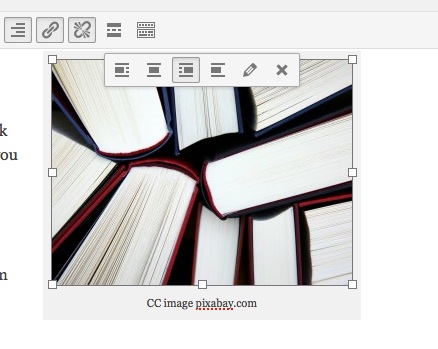
books-462579_1280

CC image pixabay.com

With images, it’s also important to reference (and use creative commons images citing appropriately where needed). I often use a caption with a link to the image source but always ensure you check individual copyright needs. NB: Pixabay has creative commons images with not attribution needed (although link-backs as I’ve done here are always appreciated!)

NB: to add the caption below the image, click on the image you’ve inserted into the page or post, select the ‘pencil’ edit tool and type the caption. You can also set alignment here so that your images has text ‘wrapping’ or not. (I used text wrapping above but not in the image below)

imageedit

Below the following paragraphs, I’ve added a horizontal line (from the visual editor menu bar) for a more organized appearance:

Interactive WhiteBoards, like the SmartBoard, have become commonplace in many schools over the past decade. IWB’s afford access to a variety of learning styles and can support inclusion according to Universal Design for Learning theory.[1] They promise the ability to increase student engagement by providing a focal point for instruction, interactivity, gaming and animations. This increased focus and engagement can improve student learning.[2]

Still, barriers to this potentially valuable technology include the price tag (a system must include a dedicated computer, projector and the IWB), and time. Teachers report that initial planning and preparation time are increased when using IWB’s. Further, time spent on troubleshooting, including ‘orienting’ the board, is seen as a disadvantage to implementation.[3]


[1] Pellerin, M. (2013). E-inclusion in early french immersion classrooms: using digital technologies to support inclusive practices that meet the needs of all learners. Canadian Journal of Education, 36(1), 44+. Retrieved from http://go.galegroup.com.ezproxy.library.ubc.ca/ps/i.do?id=GALE%7CA323659495&v=2.1&u=ubcolumbia&it=r&p=CPI&sw=w

[2] Troff, B. & Tirotta, R. (2009). Interactive whiteboards produce small gains in elementary students’ self-reported motivation in mathematics. Computers & Education ,54, 379-383.

[3] Krug, D, (2004). Leadership and Research: Reimagining electronic technologies for supporting learning through visual arts. Studies in Art Education: A Journal of Issues and Research. 46(1), 3-5.

CC images courtesy of Pixabay.com

Leave a Comment

by | January 14, 2015 · 3:50 pm

Search Smarter not Harder!

Are you busy searching for articles and resources to complete your inquiry project or to support your lesson and unit planning? Did you know that the UBC Ed library has links to your school district’s online resources and resource catalogues? Visit the Resource tab in this blog for more info.books-462579_1280

You can also download this handout of search tips that will help you find what you’re looking for through our library indexes and databases! Don’t get overwhelmed with too much info… learn to narrow your search to get what you want…

Resource Search Tips

Leave a Comment

by | January 10, 2015 · 7:35 pm

Zotero: a valuable research tool

From their website:

Zotero [zoh-TAIR-oh] is a free, easy-to-use tool to help you collect, organize, cite, and share your research sources.

Zotero is particularly useful if you will be using a wide variety of sources to write research papers. It is a Firefox plugin and standalone program that is used alongside Microsoft Word.

Reasons why you should use Zotero:

  • Zotero works as a cloud service, so you can access your bookmarks on multiple computers. As well, Zotero can work offline, meaning you don’t need Internet access to create your citations.
  • You can create your citations in a number of different formats- APA, MLA, Chicago, etc. If you want to change your citations from one style to another, you can do so with the click of a few buttons.
  • You avoid the hassles of formatting. If you struggle with creating hanging indents or don’t know when to use italics in APA, Zotero will take care of all that for you.
  • Zotero will save a copy of the journal article, PDF document, webpage, etc. for you when you add it to your folder. If you lose an existing copy of an article, rest assured that Zotero will always save a backup copy.

To use Zotero:

  • Download the Firefox plugin or the standalone program that is compatible with other browsers. I recommend using Firefox because Zotero is integrated right into the browser.
  • Download the Microsoft Word plugin.
  • Download the PDF plugin right from Zotero. Right click on a PDF  in your library to “Retrieve Metadata For PDF”, and the plugin will install in a matter of seconds.  You can also download the plugins from the Search pane of the Zotero preferences.

For some really helpful tutorials, Zotero has a number of easy to follow screencasts on their website.

Leave a Comment

by | November 20, 2014 · 10:46 am

Resource Evaluation and curation

Learning to access resources from various modalities, evaluate them based on a set of clear criteria and curate them using a personal digital library can aid students and teachers in conducting inquiry or simply preparing for class! Below, you will find a pdf file of a presentation we developed to support an inquiry based unit planning assignment for LLED351. Also attached is a ‘power search’ handout to support seeking resources in the Ed Library (or any Library of Congress organized archive).

Resources sorted by Modality LLED351 Feb25

InquiryResourcesRevised

SearchPower(revised)

Leave a Comment

Filed under Blog Posts, Not Subject Specific