cc Chris Betcher
Imagine being able to take students on a field trip without leaving the classroom. With the Expeditions Pioneer Program, teachers lead a guided virtual reality tour of a range of places such as museums, wonders of the world, and even some otherwise inaccessible places like the deep sea or the surface of Mars!
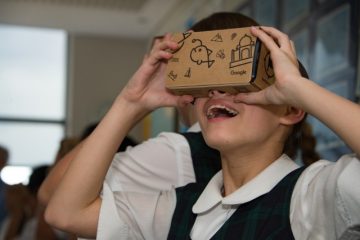
With the following equipment, students can have an immersive learning experience with 360 video that enriches the day’s lesson. In a Google Expedition virtual tour, onscreen annotations help to provoke questions, point out details and provide further background information about the location/content.
- Teacher tablet,
- Google Cardboard or other VR goggles,
- Smartphones compatible with cardboard
- *You may also need an inexpensive router to create a local area network within your school’s secure network so that students can connect their phones to your tablet. We’ve used the Aptus router with some success for small groups but more powerful routers may provide even better results!
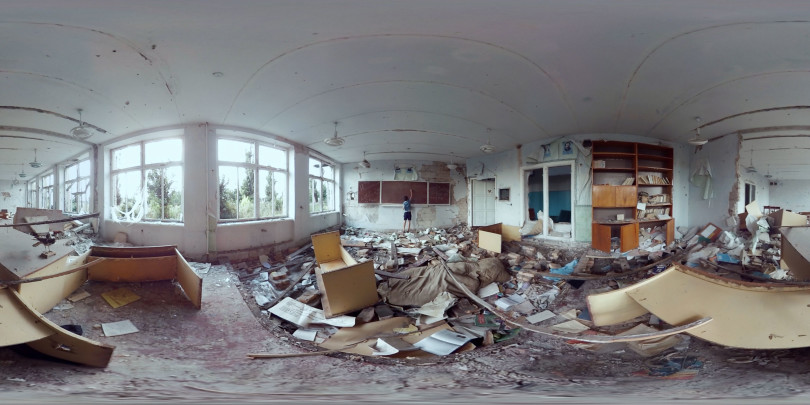
Even without the formalized ‘expeditions’ provided by google, a a teacher could also easily ‘bring’ students to a relevant 360 video or image and engage them in a tour/exploration with some guiding questions or prompts. Students can also interact with 360 videos or images using an ipad or by scrolling in their browser, although the experience is less immersive than with the goggles.
Expeditions can be an engaging and interactive experience for students as they explore 360º space. The possibility of taking a virtual tour of faraway places in the blink of an eye can augment classroom learning in a way that wasn’t possible prior to the development of accessible digital technologies. While Virtual Reality should not replace real-life experiences, it can enhance and help uncover aspects of curricular studies through a ‘virtual’ place-based and experiential approach. Some places would be literally inaccessible without this kind of technology and, often, funding, logistical and transportation barriers can get in the way of students leaving the school grounds as frequently as we might like.
As with any digital technology, always keep in mind the value of the teacher as facilitator. Consider your purpose for exposing students to particular content and experiences. Be sure , also, that these virtual experiences don’t replace opportunities for students to engage in real world, f2f experiences by getting outdoors, in the school yard, the local community and even further afield. Such real world experiences nurture students in a way that digital tech cannot.
- Download Google Expeditions and install the app on your student devices. Android from the Play Store or get the app on iOS from the Apple Store. Install IPAd, IPOD, Android or IOS phone devices.
- Sign onto the same WIFI network. Must be one that allows peer to peer networking.
Or you can also use a router. In most schools, you will need to set up a local network since the secure wifi network will not allow you to do peer to peer networking – you can do this with an inexpensive router. We have used low cost Aptus routers successfully in our workshop sessions but there are likely other possibilities. - Select an expedition and download the expedition. Each expedition consists of a series of scenes.
On the teacher device, the teacher will select Leader and the students on their devices will select Follow. -
 When on a tour, look for the smiley face icons on your teacher device. These show you where your students are.
  Points of Interest. Each tour has a teacher script which is not something you just want to read aloud. Read ahead of time and pick out the things that you think would be the most relevant for your students. When you select the script an arrow will appear for your students and it will point them to this target symbol. Be prepared for questions from the explorers about things they see that are not on your script. Have your key questions about the Expedition ready. Take time to let the students experience the Expedition before you dive in with additional information.
- Google Expeditions kits are available in Canada through Best Buy. They include student devices, virtual reality viewers, a rapid charger, teacher device, router, case. They come in kits for 10, 20 or 30 students, however, Google Cardboard can be cut out and assembled as a making project and there is some excellent open access content available online.
Learn more about Expeditions here: https://www.google.com/edu/expeditions/