Author Archives: chendric

Planning a course using Fink’s integrated course design

I was introduced to L. Dee Fink’s integrated course design worksheets when I took a UBC professional development course on Teaching in a Blended Learning Environment. I have really enjoyed using his approach to course design, because it asks you to think about learning goals and learning activities in ways far beyond just thinking about what content students should leave the course knowing. He asks you to consider learning goals in areas such as:

  • Caring goals: developing new feelings, interests, values
  • Human dimension goals: what they should learn about themselves and others
  • Learning how to learn: how will their work in this course help them to learn better in the future?

… among many others.

He also has you start with the learning goals, and then think about content and activities in the course, which seems to me the right way to go about doing things. I used to (and still feel the pull to) start with content and the types of assignments I’d have, and then base the learning goals on those. But of course it makes sense to start off with what you’d like the students to learn, to be able to do, and then have that guide the rest.

I’m working on redesigning my Introduction to Philosophy course, which is a one-term course focused on value theory–anything having to do with ethics, or social and political philosophy, or aesthetics. I have tried several different themes in the past and haven’t really been happy with any of them. This time I’m trying a kind of “life and death” theme, focused on what some philosophers have said about how we should live, and what we should think about death.

I have gone through the process of using these worksheets on this blog before, but this time I am using Workflowy, on the recommendation of Paul Hibbitts. He pointed out to me how easy it is to share parts of your Workflowy lists with others (so they don’t have to see all of what you’re working on, but just the stuff that’s relevant to a particular audience). The free version gets you quite a lot; I’ve been using it for awhile and haven’t run up against the limits to the free version yet. It’s not big on style, and it seems like it wouldn’t be that useful, really, until you get into using it and see the power of zooming in and out of your documents/lists. It’s like being able to go to a particular part of a very long document really easily and ignoring the rest.

Now, I wish I could embed this Workflowy list into my blog post, because then you could see the changes as I update it. But for now, this will have to do.

Here is my working through of Fink’s worksheets for my Introduction to Philosophy course: https://workflowy.com/s/mnpuEmtnAu

And here is a copy of what I’ve done so far, just copied and pasted from that Workflowy list today. I’d welcome any feedback you have!


Starting to work through the course design worksheets on Workflowy

Dee Fink’s integrated course design In what follows I am using Dee Fink’s course design worksheets: http://www.deefinkandassociates.com/GuidetoCourseDesignAug05.pdf

  • Situational factors to take into account when designing the course
    • students--what do they tend to be like? prior experience with philosophy? attitudes towards the subject?
      • most tend to have little or no prior experience with philosophy; few know what philosophy is
      • most tend to find the readings very challenging
      • some think that works in the history of philosophy are not relevant to their everyday lives; they prefer the more recent works
      • mostly first and second-year students, so many of them are new to UBC (esp. since this is first-term course)
      • most taking lots of courses, and/or working alongside their studies; they generally have too much to do and not enough time, so often stressed
    • number of students, physical meeting space, structure of the weekly meetings, etc.
      • max 150 (currently 136 enrolled)
      • large lecture hall, with tables and immovable chairs: https://ssc.adm.ubc.ca/classroomservices/function/viewlocation?userEvent=ShowLocation&buildingID=LSK&roomID=200
        • will be somewhat difficult to do small groups b/c can’t move chairs around; tried small groups in a room like this in the past and it was difficult
      • 2 50-minute classes per week with all students; each student also part of one 50-minute discussion section with 25 students and a TA (I run one of these)
    • the course–particular departmental or institutional requirements?
      • not required for majors, so there is no particular curriculum that must be followed, no philosophers that have to be discussed, etc.
      • focused on value theory: ethics, social and political philosophy, aesthetics, the meaning of life, the good life… anything in one or more of those areas
      • should just introduce students to such topics and get them interested in philosophy if possible, maybe draw in to take more courses (or just get a decent sense of what philosophy is like and then they may never take another philosophy course again)
    • special pedagogical challenges of the course
      • making philosophy interesting and relevant to newcomers without sacrificing rigor
        • exemplifying what philosophers do in a way that makes it seem like something useful for all of us, while still showing how difficult and complex it can be
      • for me, showing the value of reading and discussing people like Plato, Epicurus, Mill to those who find them just old and no longer relevant
        • why are works in the history of philosophy still important to read and talk about? Why not just read stuff from the last 50-100 years?


  • Learning goals #LOs
    Fink suggests thinking about learning goals in several categories, noted below

    • Foundational knowledge: what key information or ideas, perspectives are important for students to learn?
      • This is a tough one because of the nature of the course: there is no specific curriculum or set of information that must be taught in the course. But there are still some things I think they should know by the time they finish the course.
      • What is an “argument”? They should be able to outline an argument in a philosophical text, identifying premises and conclusion, and be able to evaluate it effectively.
      • They should come out of the course with an understanding of:
        • What an “examined life” is, acc. to Socrates, the Socratic method
        • Some of the basic arguments of Epicureanism and stoicism, existentialism, utilitarianism, Nussbaum’s “capabilities” approach
      • [The following is for an earlier version of the course, for when I thought I might focus it on the philosophy of happiness] Name and explain three approaches to the philosophical study of happiness (e.g., hedonism, desire satisfaction, eudaimonism…what else?) and correctly connect one philosopher to each
      • [The following is for an earlier version of the course, for when I thought I might focus it on the philosophy of happiness] Explain how philosophers study happiness as distinguished from empirical, psychological research, and say why the philosophical approach is also valuable.
    • Application: what kinds of thinking are needed, such as critical, creative, practical? What sorts of skills do they need to learn?
      • critical thinking (analyzing and evaluating): analyzing and evaluating arguments in the texts, and arguments by themselves and peers
      • creative thinking (imagining and creating): come up with own criticisms of arguments and better ways to approach the issues; come up with creative solutions to ethical problems discussed
      • practical thinking (solving problems and making decisions): take what they understand about sound argumentation and apply it to their own arguments, whether oral or in writing; also do so with the arguments of their peers in class or in peer feedback on writing
      • skills
        • being able to outline and evaluate arguments by others in the readings, as noted above
        • write their own arguments, in various formats such as informal blog posts and formal essays
        • evaluate arguments and writing by their peers, as a means to help improve their own writing
    • Integration: what connections should students make between parts of the course? between what’s in the course and other areas, such as their own lives?
      • It would be great if they could see why philosophical thinking about many issues is valuable
        • What is philosophical thinking/activity and why is it useful more generally?
        • How do they already do philosophy in their university studies or other parts of their lives?
        • How might philosophical thinking be good for them to continue in the future?
      • I don’t think it’s required, but it would be nice if the things we’re studying affected their own views of what a “good life” is, and had an impact on how they live their own lives
      • They should be able to understand how the various approaches to “living well” and approaching death well differ, the strengths and weaknesses of each vis-à-vis the others
    • Human dimension: what should students learn about themselves? about interacting with others in the future?
      • It would be good if they learned the degree to which they tend to rely on unexamined beliefs and values in their thoughts about happiness (and other things, potentially), and why it might be good to examine those
      • Learn that philosophical activity is something that they can and already do in their lives outside of class
      • Learn the value of respectful, philosophical (or other) dialogue with peers–how can we engage in dialogue that respects everyone and yet moves forward rather than sitting with everyone’s differing opinions and not going anywhere out of fear of offending anyone?
    • Caring: what changes would you like to see in what students care about? In their interests, values, feelings?
      • I would like them to care about careful, philosophical inquiry, argument and dialogue, about how such activity can be helpful in addressing disagreements, if done well
      • Care about whether their own views and values have been examined, whether they can provide adequate arguments for them, and what to do if they think they can’t
      • Care about whether their own arguments for “big questions” like happiness or the good life are sound
      • Care about treating with respect those whose views differ from theirs, but not thinking that this must mean we have to be relativists, that there are no objective truths about value
    • Learning how to learn: what would you like students to learn about how to learn well in this course (and beyond)? how to become self-directed learners, engage in inquiry and knowledge construction?
      • learn the value of working together with peers to learn; that sometimes learning on one’s own works well, and sometimes it’s also valuable to learn with peers
        • learning with and from peers is not a waste of time compared to getting info from the prof as expert
        • recognize that even when they feel they know more than others, “teaching” others is a very useful way to better understand something; we learn by helping others to learn, not just by getting information from them
      • learn how to take notes on the main points of complex, philosophical texts
      • learn what to do if something isn’t making sense; what options do they have for getting help? How can they avoid just being confused and not doing much to solve the problem?
      • recognize the importance of writing and rewriting, that a first draft of a piece of writing is usually not the best, and revising to create new drafts is important
      • understand that philosophical texts may require more than one read to understand them well


  • Draft learning objectives developed from the above #LOs
    These don’t address all of the goals above; some of those goals are addressed in what we’ll be doing in the class, but don’t show up specifically as objectives

    • For reference, LO’s from PHIL 102, Summer 2015 syllabus (this version of the course was on a different topic)
      • 1. Give an answer to the question (one of many possible answers!): how would you describe what (Western) philosophy is, what philosophers do, and how such activities might help to make people’s lives better, based on your experiences in this course? (“philosophy in the world” assignment)
      • 2. Explain at least one way in which they engage in philosophical activity in their lives outside this class (“philosophy in the world” assignment).
      • 3. Explain the basic structure of an argument–premises and conclusion—and outline an argument in a philosophical text (argument outlines, final exam)
      • 4. Assess the strength of arguments in assigned texts, in oral or written work by other students, and in their own writing (argument outlines, essays, peer review of other students’ essays, group discussions)
      • 5. Participate in a respectful discussion with others on a philosophical question: clarify positions and arguments from themselves or others, criticize flawed arguments, present their own arguments, and do all this in manner that respects the other people in the discussion (small group discussions)
      • 6. Write an argumentative essay that outlines and evaluates the views of other philosophers (essay assignments).
      • 7. Explain how at least two Western philosophers might answer the question: what is philosophy/what do philosophers do, and how might it help make people’s lives better? (essay assignments)


  • Draft Learning Obj’s for this course: Students who successfully complete this course should be able to:
    • 1. Define and explain at least two philosophical approaches to how we should live (such as Epicureanism and Stoicism) and give the name of at least one philosopher who espouses each. Explain the similarities and differences between those approache sand evaluate each.
    • 2. Explain the utilitarian approach as well as the capabilities approach to how we should help others to live well, and give the name of at least one philosopher associated with each. Explain similarities and differences between these approaches and evaluate each.
    • 3. Explain the basic structure of a philosophical argument–premises and conclusion—and outline an argument in a philosophical text
    • 4. Assess the strength of arguments in assigned texts, in oral or written work by other students, and their own arguments (oral or written)
    • 5. Participate in a respectful discussion with others on a philosophical question: clarify positions and arguments from themselves or others, criticize flawed arguments, present their own arguments, and do all this in manner that respects the other people in the discussion
    • 6. Produce a polished piece of philosophical writing, with a sound argument, strong evidence, and clear organization
    • 7. Read a complex philosophical text and take notes that distinguish the main points of the arguments therein.
    • 8. Based on what we’ve studied in the class, give one (of many!) possible answers to the question: What is philosophical activity and why might it be useful? How do you engage in philosophical activity outside this course?
  • Assessments to fit these objectives (TBA)
  • teaching and learning activities to fit these objectives (TBA)
  • consider whether the parts of the course are integrated (TBA)



Yes, a philosophy degree has many uses

The headline of a recent article from Forbes:

That ‘Useless’ Liberal Arts Degree Has Become Tech’s Hottest Ticket

http://www.forbes.com/sites/georgeanders/2015/07/29/liberal-arts-degree-tech/

This article gives several case studies of leaders in the tech industry whose liberal arts degrees have served them well, and how tech doesn’t need just people with tech degrees. One of them is the founder and CEO of slack.com, who was a philosophy major.


I heard about the article via a tweet:


What’s a surprise to me is that this is still a surprise. Well, okay; maybe it’s not a “surprise” to me that this is so, but rather a “disappointment.” Those of us who teach and learn in the liberal arts get it already and try to make the case as much as we can. And some of our students complain about having to try to make the case to their parents. Clearly the message isn’t yet fully being received.

Or more likely, it takes the non-liberal-arts people saying it for the message to be believed.

I taught myself some CSS! (and am very excited about it)

I am working on a teaching and learning portfolio right now because I’m going up for promotion to Professor of Teaching (the highest rung in the “teaching” faculty track here at UBC). I decided to create it on my own domain I got with Reclaim Hosting, so I could have more control over the theme/plugins (and the freedom to break it, of course, that goes along with that).

Through this experience I’m beginning to understand why UBC Blogs only has a few themes available; I have tried numerous free themes on my own WordPress install, and have found several problems with many of them. Only after working hard to customize them the way I want, of course. Then I find out something is weird/buggy/doesn’t work the way I need, and I don’t have enough expertise to fix it.

I finally found a theme I think I can deal with, Moesia, which I first heard about through Alan Levine, and which was recommended when I took the You Show course (well, I participated a little bit at least), so I figured I was probably safe with it not having too much wrong.

Here’s the shell of the site so far (content to be inputted this week!): http://chendricks.org/portfolio

(On this domain I also have my DS106 blog: http://chendricks.org/ds106, but don’t try going to http://chendricks.org because you’ll just see a message about it being under construction. Later I’m going to make that my general hub of info/links about me, but it’s not ready yet).

Teaching myself CSS

So I liked a lot of things about Moesia, but there was still a problem. The menu items in the Section Widget (see here for plugin–made here at UBC!) were showing up with a different colour for links than the rest of the links on the site. What’s worse, they were a kind of medium-grey colour, and you couldn’t really tell they were links until you moused over them. I wanted to change those links to the same colour as the rest of the links on the site.

Enter web search for “change colour of links CSS.” That works fine if you want to change all the links on the site, which actually I wanted to do because I didn’t like the colour of the links on the main pages of the site. From this site I learned you can do this:

——————————–

/* unvisited link */
a:link {
color: #FF0000;
}

/* visited link */
a:visited {
color: #00FF00;
}

/* mouse over link */
a:hover {
color: #FF00FF;
}

/* selected link */
a:active {
color: #0000FF;
}

———————–

Of course, you just add in your own colour codes for what you want.

That would have worked fine except it changed not only the links in the body of the pages but also in the title and menu bar, which I didn’t want. The title and menu were white on black, and when I changed the rest of the links these looked bad on the black background.

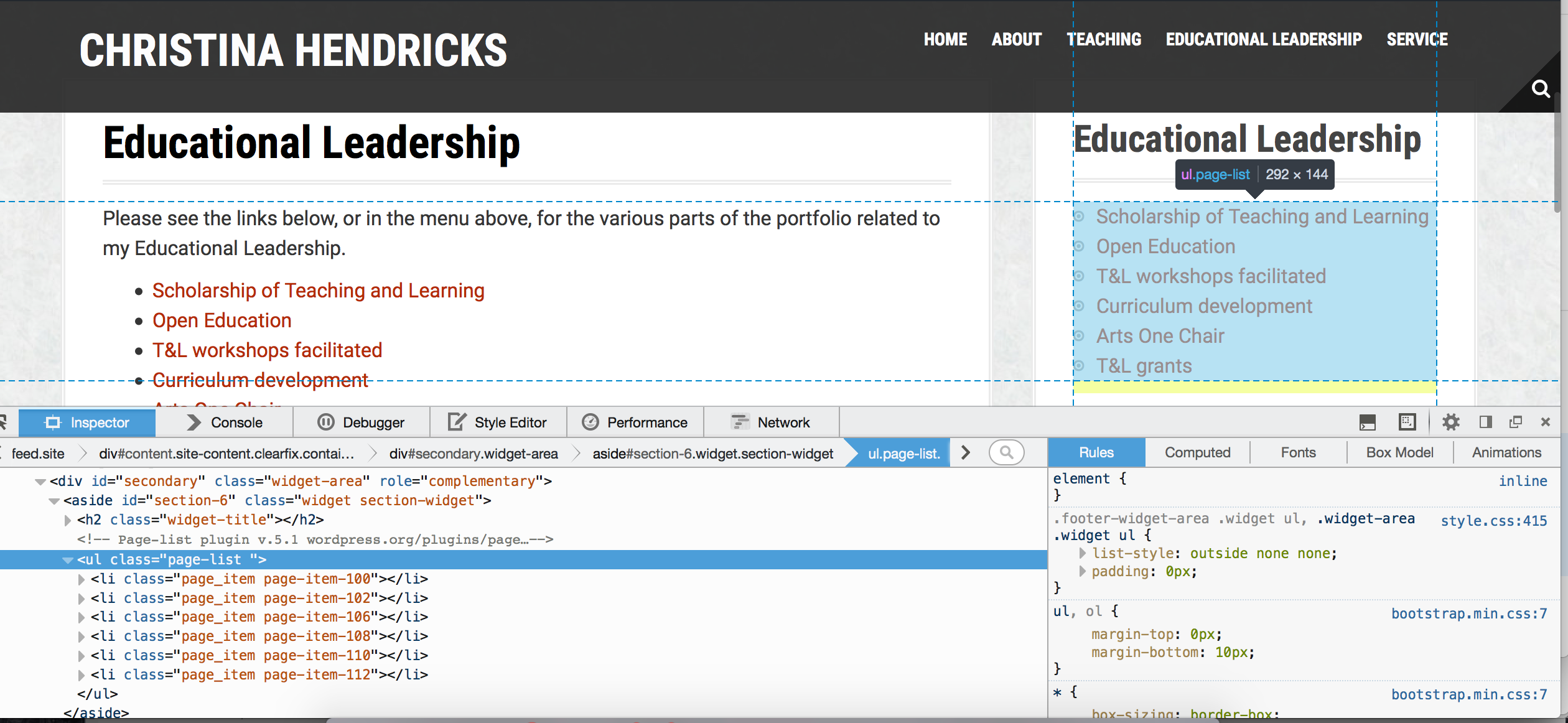
Enter “inspect element”: go to a place on a page, right click, and select “inspect element” (at least that’s what it says on Firefox). I learned this trick from the WordPress drop in sessions at UBC. Then you can mouse over various parts of the code on the bottom and see what they refer to on the page. Below I have the problematic section widget highlighted.


Screen Shot 2015-07-13 at 9.38.50 AM


From this page I learned how to change the colour of links in a particular section of a site. And from here I learned the difference in the CSS for div vs. class.

I tried at first to change the colour in the “page-list” class, but that didn’t work. I can’t remember exactly what CSS I used, but it didn’t work anyway.

Here is what I finally came up with that worked, after many, many trials and errors. I figured this out by looking in the right pane on the screenshot above and finding where the colour was for the links.

—————————————-

/*changing colour of links in sidebar pagelist widget*/
.widget-area .widget a {
color: #B42C03;
text-decoration: none;
}

.widget-area .widget a:hover {
color: #2b7291;
text-decoration: underline;
}

.widget-area .widget a:active {
color: #000;
text-decoration: bold;
}

————————————-

Then I got bold and decided I wanted to change the colour of the other links in the site, but not the ones in the header bar–the title and menu. Using the same process as above, determining what the section was called for the body content of the pages (I tried “body,” but that didn’t work), I came up with this:

————————————-

/*changing colour of links*/
/* unvisited links */
.entry-content a:link {
color: #B42C03;
}

/* visited links   */
.entry-content a:visited {
color: #B42C03;
}

/* user hovers     */
.entry-content a:hover {
color: #2b7291;
text-decoration: underline;
}

/* active links    */
.entry-content a:active {
color: #000;
text-decoration: bold;
}

———————————–

I left the “visited” and “unvisited” both there even though they’re the same colour, in case I want to change that colour later (the code is there and I don’t have to try to remember it later!).

Then I realized the comment forms still had the old link colour, so I changed those too:

———————————–

/*changing colour of links in comment form*/
.comment-form a:link {
color: #B42C03;
text-decoration: none;
}

.comment-form a:hover {
color: #2b7291;
text-decoration: underline;
}

————————————


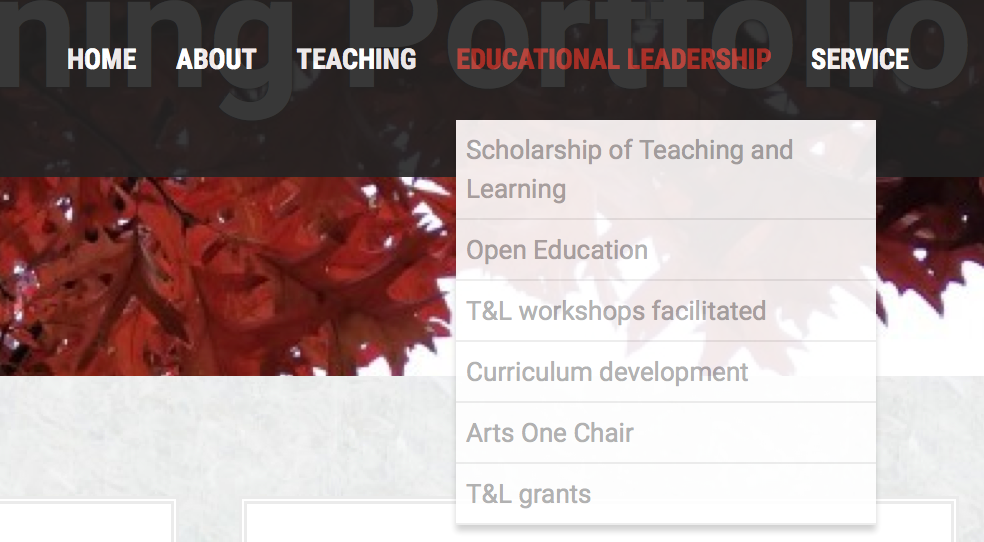
The last thing I wanted to change was the colour of the links in the sub-menus in the menu bar. Here is what it looked like before:


Screen Shot 2015-07-13 at 1.39.05 PM

It’s not too bad blown up like this, but on a big screen those links were hard to see against the white background. I wanted them the same colour as the other links on the site.

When I did “inspect element” on that section it said <ul class=”sub menu” style=display: block;”>.  So I tried the following, and it worked!

———————————-

/* unvisited links */
.sub-menu a:link {
color: #B42C03;
text-decoration: none;
}

/* visited links   */
.sub-menu a:visited {
color: #B42C03;
}

/* user hovers     */
.sub-menu a:hover {
color: #2b7291;
text-decoration: underline;
}

/* active links    */
.sub-menu a:active {
color: #000;
text-decoration: bold;
}

————————————-

Again, I left the “visited” and “unvisited” links both there and both the same colour, in case I want to change the colour of one of them later.


Next steps

I really don’t know what I’m doing with CSS. This was the result of a lot of trial and error over the past couple of days. And I still don’t really know when to use something like .sub-menu versus #sub-menu (one is for a div and one for a class I think, but I don’t know which is which so I just test them out; and I don’t know what a div or a class is, actually).

I’m a total geek about this stuff. I really love being able to do this, to have control beyond what the theme allows under “customize”–if they haven’t provided me with the option to change the link colour with the free theme, I want to be able to do it anyway. I vividly remember my first coding experience in junior high school (grades 8-9), in BASIC (yes, I am that old). I loved it. It was like a puzzle and you got to see right away if you figured out the answer b/c things either worked or they didn’t. Then I learned some FORTRAN at university, but then didn’t do anything after that. And I kind of miss it.

If I had time I’d do a course on html and CSS, like this one from Code Academy.

But right now I’m busy working on my promotion portfolio. Maybe I’ll keep learning CSS as I go, as things come up that I want to do.

Like for instance I want to change the font size on this site (I’m getting old and can’t deal with small font)! Gotta figure out how to do that….

Students posting on WordPress on the front end

I use WordPress for all of my course sites, and for some of my courses I ask students to post directly on the course site (for one they set up their own WordPress sites and they are syndicated to the course site). So far when I ask them to post to the course site I’ve had to teach them how to sign up as an author on the site, then log into the dashboard and make a post, how to add images, etc. It is quite a to-do, as the three screencasts I created for a course this summer attests to. I’ve decided to look into a front-end posting system and see how that would work.

The first thing I thought of was gravity forms, because that’s what we have used for the Directory in the Teaching with WordPress open online course I’m helping to facilitate. For that, we asked people to upload an image, gave them input boxes for text and also for a URL if they wish to connect a website. It seems I could use something like this to ask students to:

  • write a blog post on something associated with the course (differs according to different assignments)
  • include a URL or two if relevant
  • include an image if relevant

What I’d also like them to be able to do is to embed a video file from the front end, like you can do from the dashboard in WP where it just embeds automatically from YouTube and Vimeo (and maybe others too…those are the two I’ve used).

For example, this summer term I asked students to find and write about philosophical activity out there in the world beyond the course, and they had to include at least one image or video embed or audio file. It would have been great if they could just fill out a form on the front end to do so.

I don’t know how to use Gravity Forms for this; Rie Namba set it up for us on the Teaching with WordPress site. But I can go to a WordPress drop-in at UBC to learn (we have a two-hour drop-in time every week, which is just super cool to have).

And Pauline Ridley sent me this link on Twitter, which talks about how to set up a Gravity Form so users can submit a blog post with images through it: http://gravitywiz.com/use-gravity-forms-to-create-user-submitted-posts/ This looks really useful!

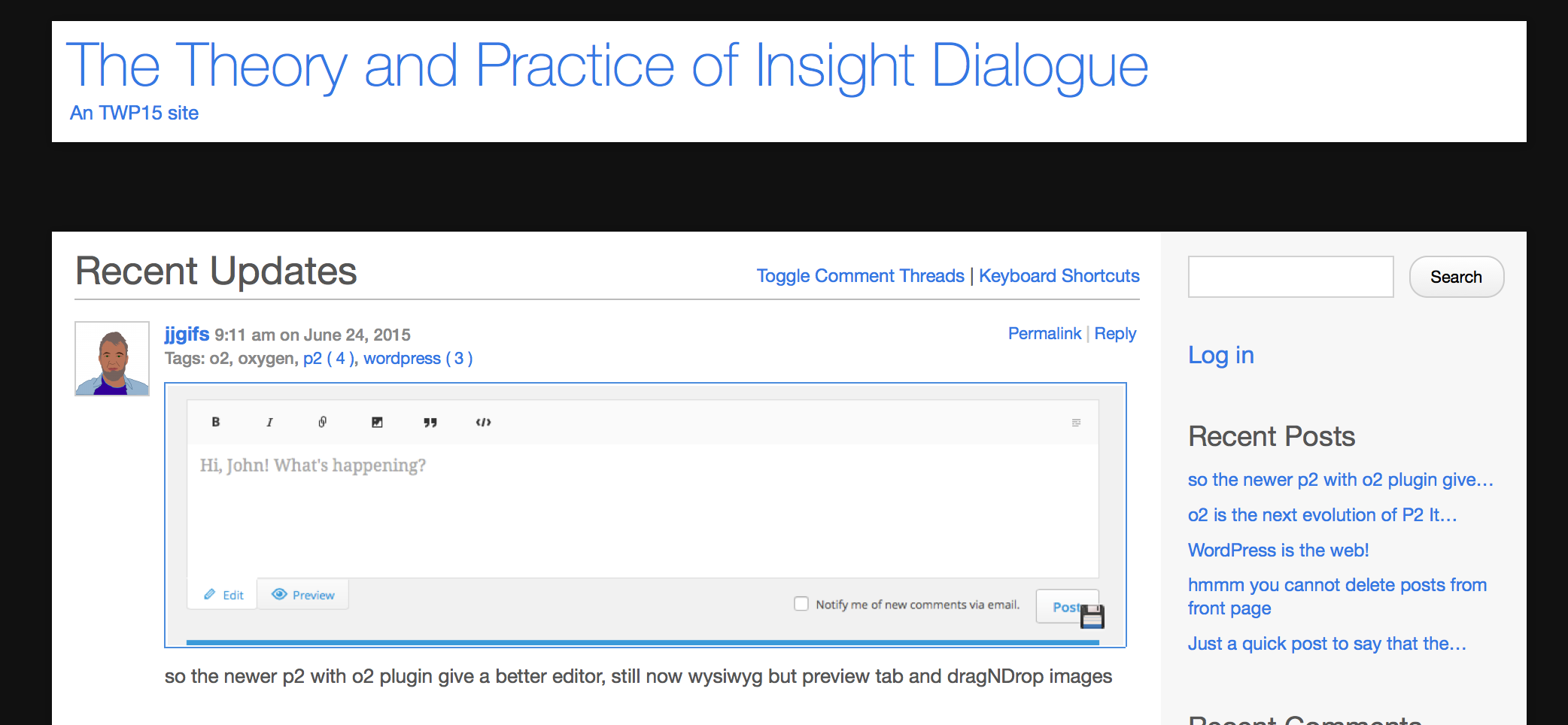
When I tweeted about this desire of mine, Mariana Funes reminded me about the P2 theme for WordPress. She and John Johnston have set up a P2 demo site for Teaching with WordPress, and anyone can play along if they contact Mariana or John (try Twitter, or if you want to contact them but don’t have a Twitter account, comment below and I’ll connect you to them!). I forgot about this site and haven’t tried it out yet. I’m going to as soon as I get my login credentials (again…can’t find them) from Mariana. Then I’ll be able to see if it can do all of what I want.

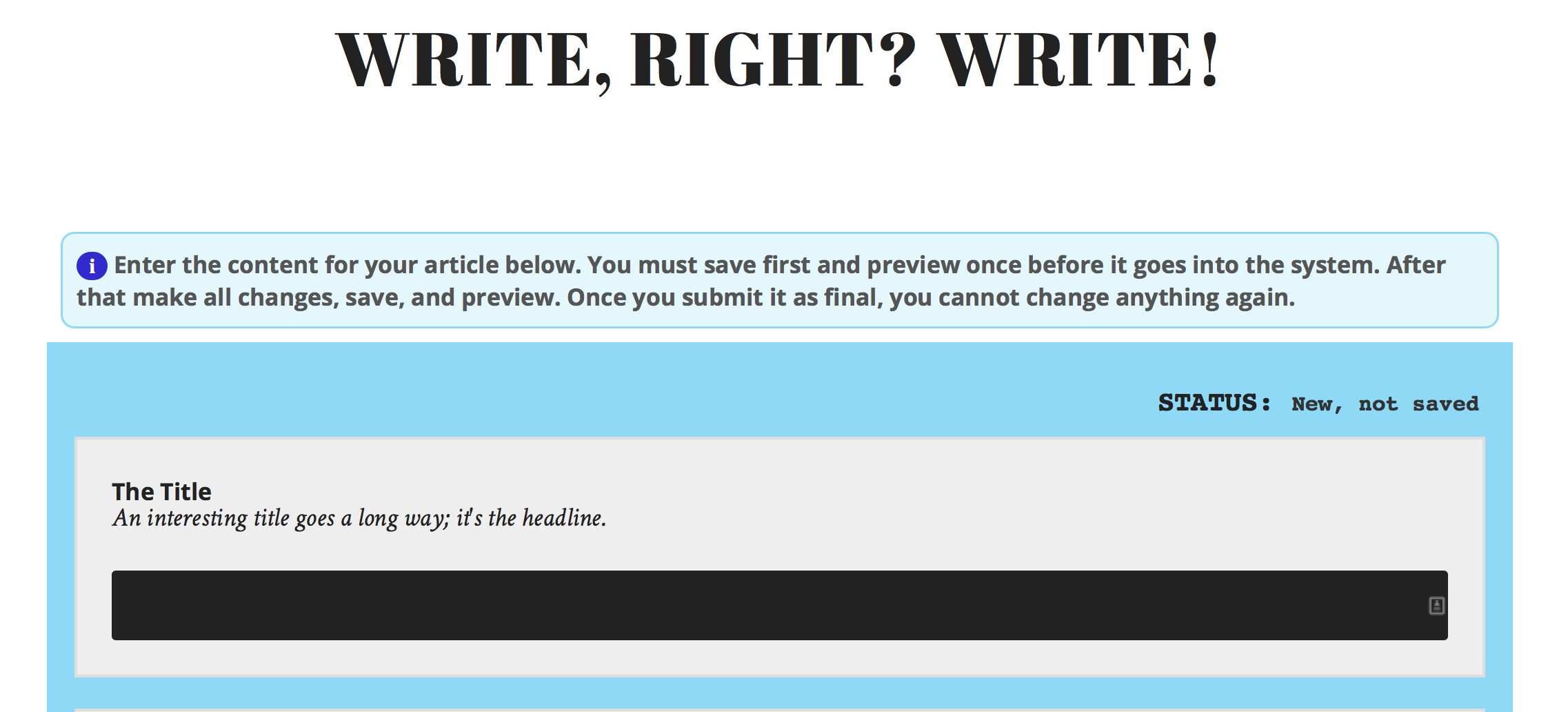
screen shot of TRU Writer

Screen shot of TRU Writer

Alan Levine created some things called SPLOTs for Thomson Rivers University, which are super excellent, easy way for people to make various kinds of posts on the front end of WordPress. The TRU Writer looks particularly good for my purposes. But it’s not (yet?) easily available as a WP theme; the source code is on Github, but that’s beyond my abilities to deal with. And plus, I can’t just upload new themes to our UBC Blogs site where my course sites are; the themes and plugins are controlled centrally. Hmmm…maybe I could convince them to try the SPLOT? :)


Editing after posting?

One thing I’m wondering, for all of these options; is there any way for students to edit their posts after posting from the front end? I know that’s not the case with the Gravity Form we used for the Directory for the Teaching with WordPress course. Any edits that needed to be done were done by one of us after it was posted. And the TRU Writer says the post is final once it’s submitted as well. Not sure about the P2 theme.


Anyone else have another idea to try for front-end posting?


A web, not a website

In Teaching with WordPress, one of the week 2 topics for discussion is to think about how to design a web. This comes from a quote from Stephen Downes in a presentation called “Design Elements in a Personal Learning Environment,” where he says: “A MOOC is a web, not a website.” Now, in this he is talking about what later came to be known as cMOOCs, or connectivist MOOCs (see my blog posts here and here for a discussion of cMOOCs). Many MOOCs today are more like websites than webs. But what does that mean, really?

To me, having experienced several open online courses that I would call “cMOOCs,” designing a course as a web means that one focuses more on providing opportunities for people to connect with each other than on providing content that they all need to get and be assessed on. The curriculum comes in large part from the participants, who shape what is talked about and how the course goes by what they write, what they link to, the questions they raise, etc. And perhaps most importantly, the best value for me in such courses is that the connections I have made continue onwards, long past the end of the courses. From my experience in various open online courses I have gone on to collaborate with people on designing and facilitating an open online course, on research projects, and, well, just on fun.

I will tell anyone who will listen that my experiences in connectivist-style open online courses has changed my life. For example, here’s a map of all the things that have changed in my professional activities as a result of taking my first open online course, ETMOOC, in early 2013. (The embed interface is not that great; I used MindMup for this map, and it’s a little clunky…it’s just that that is what I started with so I kept it in there!) This link should get you to a full page version of the mind map.


But my question is, how do I design my own on-campus courses so that they are more web-like and less website-like? I’m not thinking that my students’ lives are going to be changed in quite the same way as mine has been changed by my experiences in open online courses, but I would like for there to be more connections between students, and between students and myself, through online interactions. And there isn’t much that is doing that in my WordPress course websites right now.

Right now my WordPress sites for my on-campus courses don’t do a whole lot beyond giving content: here are the readings, here are the assignment instructions, etc. That’s a website. For example, see the website for the course I’m teaching right now, Introduction to Philosophy, here.

Sometimes I also ask students to do blog posts (depending on the course); so, for example, for Arts One their blog posts are aggregated onto our class website under “our blog posts,” here. Sometimes I ask them to post some of their work publicly (it’s always up to them whether or not to do it, though), such as with the “non-traditional artifacts” here or the “philosophy in the world” assignments here.

And for the first time ever, just this week I asked students to participate in a discussion on a WP site through comments, using a shortcode to get two pages with the discussions onto a single page: https://blogs.ubc.ca/phil102/weekly-schedule/week-5/ Here’s a short post on how I did that.


I guess I just feel like I’m mostly replicating an LMS with my WordPress sites. And I want to know how I can use the power of the WP blank slate to do more interesting things. That’s one of the things I am hoping to get help with. And a question I asked on Twitter earlier this week is a start!


Engaging students with OER

Near the end of May I worked with Jon Festinger and Will Engle to do a 1.5 hour workshop on how using and creating Open Educational Resources (OER) can have pedagogical value in courses (beyond saving students money, which is also important). You can see the basic abstract for the session in the wiki page embedded below.

Click here to see our slides for the workshop, on Google Slides (or see below).

We also created a wiki page for the event, which has numerous link to resources. We also tried to get small groups to post answers to discussion questions on the wiki, but as the event was held in the late afternoon, a bunch of people left when it was time to do the small group activity (I guess many instructors, like many students, think the “real action” is in the presentation rather than the group discussion!).

The wiki page for the workshop is embedded below.


About this session


"Increasing Student Engagement through Open Educational Resources" is a workshop held during the CTLT Institute in May 2015.


Abstract

Open educational resources are educational materials (text, video, audio, and more) that are licensed to allow others to reuse, revise, remix, redistribute, and retain them free of cost. There are numerous pedagogical benefits to both using OER and creating OER in courses; this workshop will focus on a few of them, including the following.

Asking students to create OER in courses means, in part, asking them to create things that are available to and of use by other students in the course (both past, present and future) and by people beyond the course. Assignments that are read only by an instructor and/or teaching assistant can seem to be what David Wiley calls in a blog post “disposable”: “assignments that add no value to the world – after a student spends three hours creating it, a teacher spends 30 minutes grading it, and then the student throws it away” (Resource here). If, instead, student work is adding value to the world, contributing to a larger body of knowledge that can be used by others, it is much more likely that they will be engaged in working on it and try to make it as good as possible. Examples of such assignments could be student blog posts, student-created web pages or wiki pages, videos, and more that others can see/hear/interact with and learn from. Another example that will be discussed in the session is having students edit an open textbook and share their edits openly.

Using OER in courses means asking students to read/watch/listen to/interact with educational materials for the course that are publicly available and licensed for reuse and (often) revision. Finding and assigning OER can allow for presentation of material in different ways: e.g., a textual resource can be augmented through finding and using a diagram, an image, a video, another text that explains things differently, etc. This can help both engage students and improve their understanding of course material. Further, if the OER are licensed to allow revision, students can edit them or mix them with other resources to create something new, both helping their own leaning and contributing OER for others to learn from.

In this session we will all discuss together the various kinds of open educational resources, including open textbooks, how to find OER for your courses, and several of the pedagogical benefits of creating and using OER.


Facilitators


Will Engle is a strategist for open education resources at UBC's Center for Teaching, Learning & Technology. He engaged with projects that are leveraging emerging technologies, approaches, and pedagogies to support open learning. With a background in library science, Will is interested in understanding and supporting the removal of barriers that limit access to education, information, and knowledge.

Jon Festinger, Q.C. (LL.B., B.C.L. 1980 McGill University) is a Vancouver, British Columbia based counsel and educator. He is an SFU Professor of Professional Practice and a faculty member of the Centre for Digital Media. Jon has taught media, entertainment and communications law topics at the UBC Faculty of Law for over two decades, as well as teaching at various times at the UBC Graduate School of Journalism, the Thompson Rivers University Faculty of Law and the University of Victoria Faculty of Law. He is the author of the first edition of “Video Game Law” published by LexisNexis in 2005, co-author of the 2nd Edition published in 2012. The open and on-line components of his courses can be found here & here. Jon was named a member of Creative Commons’ “Team Open” in 2014.

Christina Hendricks is a Sr. Instructor in Philosophy at UBC, and she also regularly teaches in the Arts One program. She has been a proponent of open education for several years, having participated in and few open online courses and been part of the design and facilitation team for others, including one with Peer 2 Peer University called Why Open?, and a course on Teaching with WordPress. She uses as many open educational resources in her teaching as she can, and posts many of her teaching materials as open educational resources herself.


Agenda and session outcomes

Agenda

  1. Introductions--to us, to you
  2. Defining openness and open educational resources (OER) in groups
  3. Discussion of openness and OER
  4. Presentation on pedagogical benefits of OER and open courses
  5. Groups: take a "traditional" assignment and discuss how you might use what we've talked about today to transform it (and why)
  6. Conclusion


Session outcomes

By the end of the session, you should be able to:

  • Give a definition of “open” and/or open educational resources
  • Explain at least two pedagogical benefits to using and/or creating OER in teaching & learning
  • Explain one or more courses/projects at UBC using/creating OER
  • Say how you might adapt an activity or assignment to make it more "open," and why this would be pedagogically a good thing to do

Group activities

Click on your group number to go to the page where you can type in your answers to the questions in the group activities during the session.

To see all the groups' notes from the activities, click here: http://wiki.ubc.ca/Sandbox:Student_Engagement_Through_OER/Group_Resource

You can also see how the group wiki pages look when embedded into a WordPress site, here: http://willdev.sites.olt.ubc.ca/


Resources, links from the session or relevant to the session


Slides from the session

The slides used during the session can be found here (on Google Slides).


Examples of open courses or OER

A list of some examples can be found on the open.ubc.ca website, here: http://open.ubc.ca/learning/

Please add other examples that you know of, below!


At UBC


Elsewhere


Open Education

Creative Commons licenses

True Stories of Open Sharing

Watch some amazingly true stories of open sharing--the great stuff that can happen when we share our work openly: http://stories.cogdogblog.com/

source: http://wiki.ubc.ca/sandbox:Student_Engagement_Through_OER

I made discussions on WordPress!

Okay, so it’s not that fancy, but I’m pretty excited that I got the following to work.

So in my PHIL 102 (Introduction to Philosophy) course this summer, I took one of the sections of the course and did a little bit of a “flip” of it, where I asked students to watch some videos ahead of class, in addition to doing the reading, so I wouldn’t have to do all the lecture in class and we could spend more time face-to-face on what F2F is good at: discussion, interaction.

But I wanted them to also do some kind of activity with the videos so the material sinks in a bit better, and to connect the work outside of class with the videos to the work inside class with the activities. So I decided to ask them to post comments on one of two discussion questions, and I would bring their answers into class to share, and talk about them a bit. noun_17047_cc

But I didn’t know how to do that on WordPress until I became part of a team of designers and facilitators for a course on Teaching with WordPress. One of the people designing the site set up our front page so that we could show announcements on it, using a shortcode. I copied this idea for the PHIL 102 class. You can see the page where I embedded the discussions, here.

I made each of the two discussion questions a post under the category “discussions.” Then I used the following shortcode on the page linked above to get them onto the page: [loop query=”posts_per_page=3&category_name=discussions” view=”archive”] That requires a plugin that allows for the “loop” shortcode: loop shortcode plugin, made by people at UBC. That’s the same code we use on the front page of the Teaching with WordPress site to get the “latest updates” to show up.

Then, I just asked students to comment on those posts. I told them they could make up a fake name, or use their initials, or use their real name if they wanted. I always want to give them the option of not posting publicly if they choose.

I think it worked pretty well. There was good discussion on the two pages. I’m not sure how well it would work if I had a big class, though–this one is only 40 students, so the discussion didn’t get overwhelming where you have to scroll for days.

Open course design challenges (#TWP15)


One of the questions for the weekly discussion for week 1 of Teaching with WordPress is: “What’s your biggest challenge in designing for open?”

I have several course websites on WordPress, and one of the challenges I’ve faced in designing each of them is determining just where to put things and how to hierarchize them in menus so they can be easily found. I don’t know if this is my biggest challenge, but it is one I face each term as I think about redesigning my sites. It is made more important by the fact that the sites are public on the web, and I hope that others who visit them might find the information there useful. So they have to be clear even to people who are not in the course and don’t get the benefit of me talking about where things are on the site!

Here are the sites I have so far:

Introduction to Philosophy (PHIL 102): https://blogs.ubc.ca/phil102

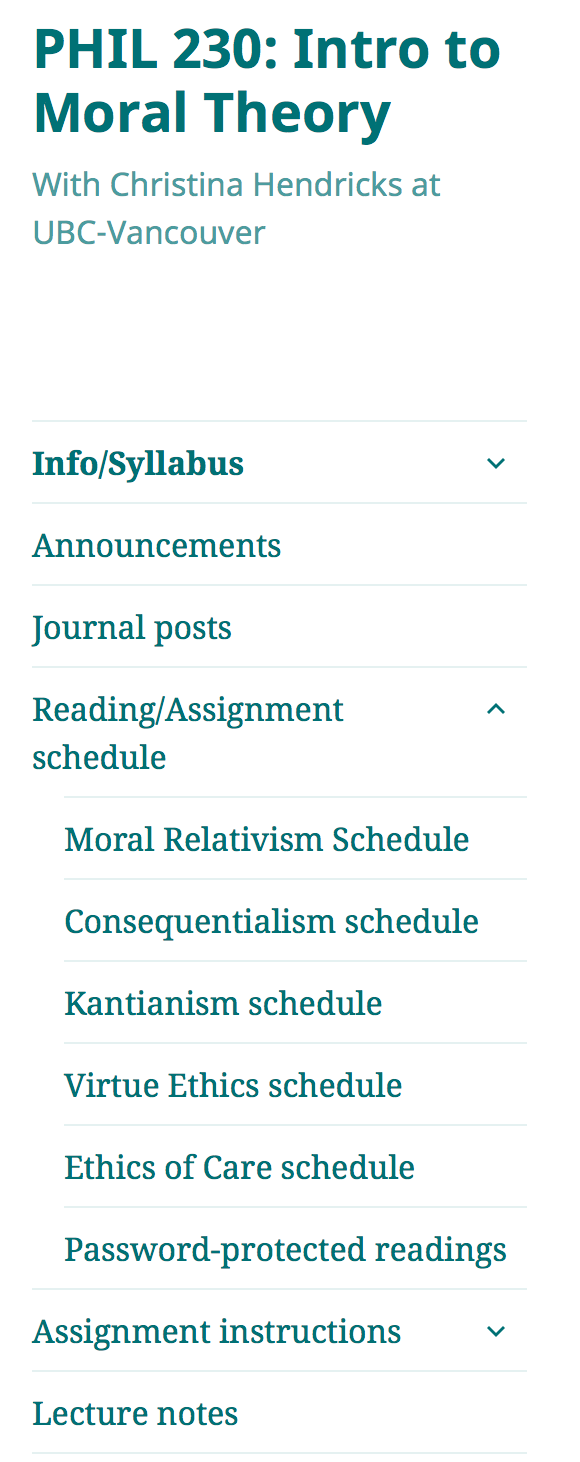
Introduction to Moral Theory (PHIL 230): https://blogs.ubc.ca/phil230

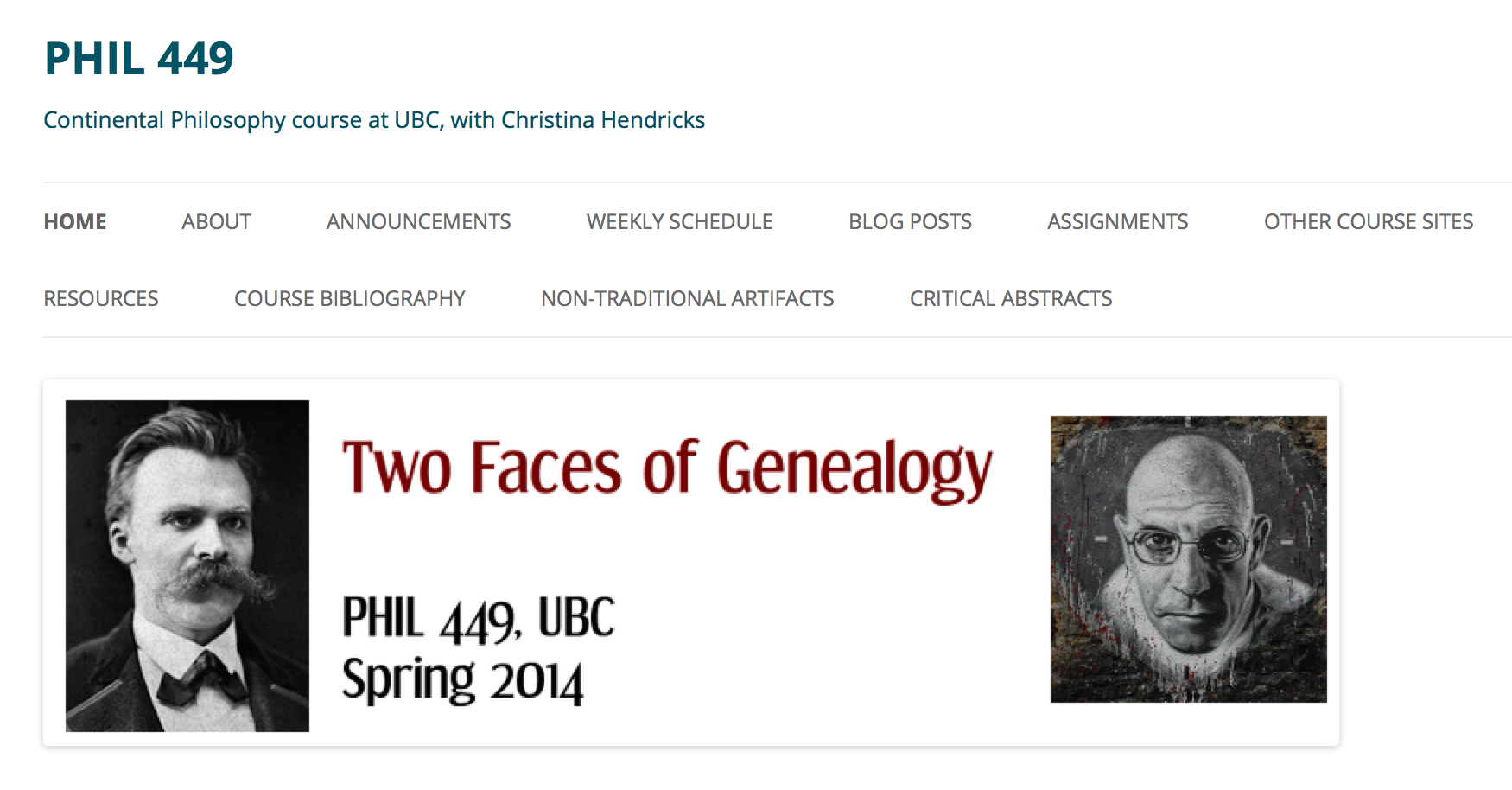
Continental Philosophy seminar (PHIL 449): https://blogs.ubc.ca/phil449


Where are the lecture notes?

When I created the PHIL 102 site in the Fall of 2013 I made a mistake that I rectified when I taught that course again in the Summer of 2015.

Screenshot 2015-06-06 18.17.03When I first created the site, I had a “weekly schedule” so students could find each week and see what they are supposed to read before class and what we’ll be doing in class. I created the weekly schedule as a way to be able to quickly update what students need to read/what we’re doing in case things change over the course of the class (which always happens!), rather than having a static syllabus/schedule. You can see the weekly schedule for the Summer 2015 version here: https://blogs.ubc.ca/phil102  Having a weekly schedule like this I still think is a good idea.

But I decided to put the lecture notes after each class on each of the weekly pages. So, the lecture notes for Plato’s Gorgias would be on the page that discusses what students are to read before the class in which we discuss the Gorgias. I honestly don’t know what I was thinking, because I can’t imagine that was very useful for students. They’d have to go to each page in the weekly schedule to download the lecture notes. And then I realized later that if anyone coming upon my site on the web wanted to see the lecture notes from the course they wouldn’t know where to look.

So now I’ve created a separate page in the course with just the lecture notes: https://blogs.ubc.ca/phil102/lecture-notes/  On the top menu of the course site I have a section called “notes,” and under that are the lecture notes and also notes from the students’ small group discussions in class. I think that’s pretty clear, though perhaps not perfect.


Too many menu items

In my PHIL 449 course (https://blogs.ubc.ca/phil449) I have too many items in the top menu.

Screenshot 2015-06-06 18.18.36

It’s just hard to read/find things. There were some things I wanted students to be able to find right away, like the bibliography (which they needed for their research papers), the critical abstracts (where they could read each others’ summaries and reviews of research articles or books), and the “non-traditional artifacts” (which were assignments students chose to do instead of essays). And I couldn’t think of a good way to put those things under something else. I’m still struggling with that, even a year later–I’m not sure how I’d categorize things differently so that there are fewer items in the top menu.

One thing I did differently for the PHIL 102 site is to combine the “home” and “about” pages so I don’t have to have two menu items for that, like I did for the PHIL 449 site. I also put the syllabus on the “about” page for PHIL 102 so I don’t have to have that in a separate menu item either (the menu item is called “About & syllabus”).


Re-naming the weekly schedule

Screenshot 2015-06-06 18.20.55

In my course site for Introduction to Moral Theory (PHIL 230), I didn’t make a “weekly” schedule, but instead did it by topic (moral relativism, utilitarianism, Kantianism, etc.). This was because I thought that students would be less likely to find things by remembering which week it was in, than by remembering the topic.

I think this was a good idea, but it also makes each page for each topic longer than they were before. And when I designed the PHIL 102 site for this summer, I went back to the “weekly” idea (but labelled each week in the menu with the author of the readings or the topic) because the pages were already pretty long just by having the schedule for two days on them. That’s because I include not only required readings, but lots of optional resources.


Where to put various resources?

In many of my courses I have handouts or links to other resources that are useful throughout the course. Sometimes I put them under a menu item called “resources” (see, e.g., the PHIL 449 site), but then I thought that students might not find them there. So for PHIL 102 for this summer I decided to put some of them under “assignments,” such as the page with “writing help.” If you click on “Assignments,” then “writing help” is part of the drop-down. And other resources I put directly on the pages where they are needed for assignments. For example, in PHIL 102 students need information on finding and using public domain and CC licensed works, so I put that directly on the page with the assignment they need this information for: https://blogs.ubc.ca/phil102/assignments/philosophy-in-the-world/

For that page I used the “wiki embed” plugin that UBC has installed on UBC Blogs, which allows me to write up the information on a wiki page and then use it in multiple sites. If I change the wiki page, then all the sites that have it embedded are updated. I did this with the public domain/CC licenses information because I figured I’d be using that in other courses as well.


Adding images

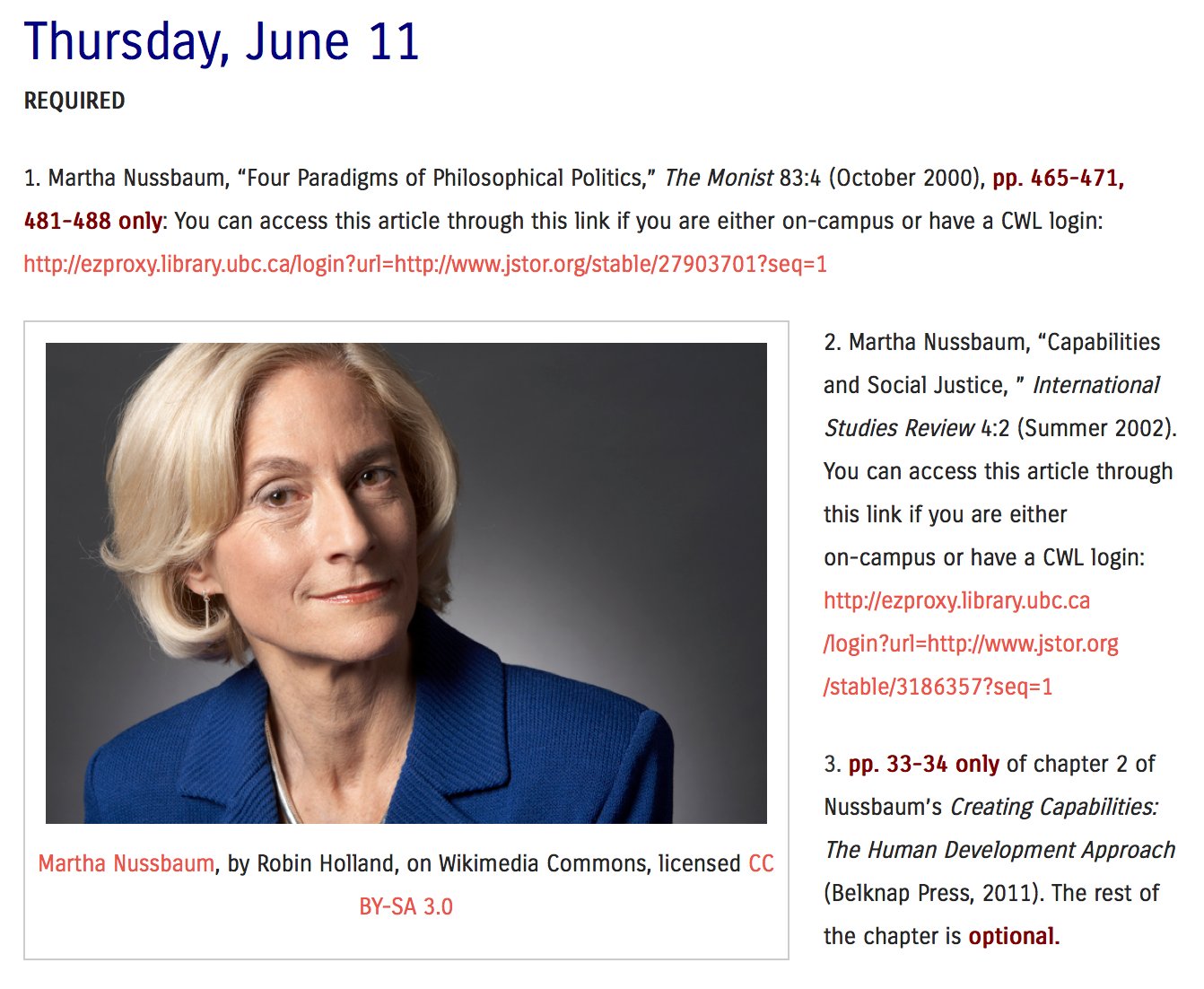
When designing the PHIL 102 site for this summer I added images to each of the pages in the weekly schedule. I realized that the pages were very boring with ust text, and I wanted a bit more visual appeal. So I found an image related to the readings for each class meeting and included it there. See, for example, the week we discussed John Stuart Mill and Peter Singer: https://blogs.ubc.ca/phil102/weekly-schedule/week-4/ They’re not the most interesting images, but at least it’s a start.

This is not really related to the issue in this post, which is where to put what/how to organize, but I thought I’d mention it as a change I made to try to improve my sites over time.

Screenshot 2015-06-06 18.25.51

Screen shot from PHIL 102 site, Summer 2015


What do you think?

I’m curious if anyone has thoughts about the issue of organizing/hierarchizing/making things easy to find for students and others, or any of the problems/solutions I’ve discussed above. I think I still have some ways to go to make my sites as clear as they can be.

Learning subjectives (#rhizo15)

A drawing I made for #rhizo14, last year

A drawing I made for #rhizo14, last year

I’m partially participating in Website for #rhizo15, an open, online course in rhizomatic learning. During week one, we were asked in a video posted on that site to think about learning subjectives in addition to (instead of?) learning objectives.

The idea seems to be this: we can never be certain exactly what is going to happen in a learning situation, where we’re going to go; we can have a general outline, but things take on a life of their own when we are learning with others. And even the clearest learning objectives are going to be taken differently, interpreted differently, experienced differently by different people.

Here are a few quotes from the video for week one posted on the #rhizo 15 website that are helping me get a handle on what the topic of discussion is:

How do we think about learning and designing for learning when we don’t know where we’re going?
…learning is an uncertain process, life is an uncertain place, right answers are things that will only exist in storybooks.
How do we still provide enough structure that people know what we’re talking about?

It is that last point that I really want to focus on here.

I agree with the point that we can’t ever know exactly where we are going to go in learning, and that everyone’s learning experience will be different. Those things seem quite clear. But I worry that at times we might move from there into saying, well then, let’s embrace the chaos and give the least amount of structure possible.

Kind of like the #rhizo15 course itself, for which the idea of the “community as the curriculum” is embodied in (at least) the fact that the only curriculum given by the person who started the course consists of short videos with thought-provoking ideas and questions. What else happens rests entirely on the actions and conversations of the participants–what they talk about, what tools they decide to use to do so (e.g., see this Vialogues discussion about week 2’s video), what artifacts they create. Who would have guessed ahead of time that a blog post with a dialogue (by Tania Sheko) would have led, within about a week or so, to the creation of a radio play? (A project I missed while I was at a conference, and am very sad about missing!)

Now, I’m not knocking this lack of structure as if it’s never appropriate. I think it works great for a course like this, one that people join into because they are simply interested, have some time to dedicate to it, want to connect with others who are thinking about these topics, etc. And it works well for thinking about one’s lifelong learning in general, as evidence by Sheko’s dialogue on her blog. Of course I can’t know for certain where my life is going to go, so it makes no sense for me to have rock-solid learning objectives ahead of time.

But it seems to me that the situation is, perhaps rightly, different for students who are paying for courses for which they are being evaluated in ways that attach to a record that is important for their future. I feel a moral imperative to provide enough structure in a course that they can have a good sense of what they need to do in order to earn the grade they hope to earn. There is a strong power imbalance going on in a “traditional” course where I am in charge of giving grades, and if they don’t get enough information about what the expectations are then I feel like I would be being unfair to them. So it’s vitally important to me to figure out a way to recognize and value the fact that learning is uncertain, and that it would be best if students can find their own paths and their own means of learning (with the community of the rest of us in the class) while still having enough structure that students can have a fair sense of how they will be evaluated and what to do to achieve the marks they hope to achieve.

Now, if learning subjectives are mostly a matter of giving students more choice, more freedom to decide what they want to focus on in classes, then I’m all for that. As Laura Pasquini puts it in a recent blog post,

The openness of learning subjectives provides opportunities for students to drive the course agenda and direct their interests for topics.

This is something I think would be great to do, and I haven’t done as much of that as I’d like in the past. I have offered students the choice of more than one kind of assignment to do in one of my courses (a paper or a more creative project), and I’m also experimenting, in upcoming courses, with students choosing how they want their course grade to be calculated–which assignments to count for what. I also want to involve students more in assessing their own work (I already have them engage in peer feedback quite often), so that they take more ownership of it than just relying on the instructor to assess it.

I’m also happy to say to my students that I’m not sure where our discussions of philosophy or literature are going to go, that we’re going to get together in a room and talk about what we’ve read and see what happens, that I can’t come up with learning objectives for each class meeting because the discussion may take us in directions I can’t predict. That makes sense to me too.

But a certain degree of structure is still crucial when we’re teaching courses for which we are evaluating others in ways that can affect their future, I think. I wouldn’t think it fair to walk into such a classroom and say to students that I don’t know what they’re going to be doing, exactly, or what the curriculum is going to be; all I know is I’m going to start with a couple of readings and questions and we’ll see what happens from there. That’s a fine and very interesting way to run an open online course–I love learning this way in courses like this, and thrive on seeing the unexpected things that happen! I’m not convinced it’s fair to students we are evaluating to do so.

Learning is uncertain, life is uncertain, but I feel strongly that I need to respect the imbalance of power between myself and my students and ensure that they have enough structure to be able to have at least a decent grasp on what the expectations are on which they will be evaluated. Maybe we will work on these expectations, perhaps a marking rubric for essays for example, collaboratively. Maybe we will work collaboratively on where we are going to go in the course, in a general sense. But regardless how we get there, I do think I want to try to direct the rhizome with some structure.


P.S. When I first heard about the notion of “rhizomatic learning,” it was in a presentation by Dave Cormier that included a discussion of how it is not necessarily a lens through which we should view all learning situations. I discuss that in a blog post from 2013, here (jump down to “when is rhizomatic learning appropriate?”). Part of the discussion there was that rhizomatic learning fits well in situations where there are not clear answers, but perhaps is not the way to go when one needs to learn certain basic facts before moving on to more complex domains where the answers aren’t clear. But so far in #rhizo15 I haven’t heard much or anything in the way of saying that maybe rhizomatic learning is good for some contexts but not all. I’m curious if people feel that it’s okay to not be rhizomatic in some contexts, or in some aspects of a course, or when learning certain sorts of things.


Foucault, the sovereign, discipline & bio-power

I gave a presentation last night for the Vancouver Institute for Social Research, a fantastic program that provides free lectures at an art gallery downtown for anyone to attend. This term’s series has focused on sovereignty, and I decided to give a talk on Foucault’s claim that in common ways of thinking about power in political theory (in the 1970s at least), we still have not yet cut off the head of the king:

What we need … is a political philosophy that isn’t erected around the problem of sovereignty, nor therefore around the problems of law and prohibition. We need to cut off the King’s head: in political theory that has still to be done (Interview, “Truth and Power,” in Power/Knowledge, ed. Colin Gordon. Pantheon, 1980).

I contrasted the “juridico-discursive” view of power that, according to Foucault, has dominated political interpretations of power (and that is descended from the way monarchies came about and established themselves), with disciplinary power and bio-power.

The presentation was done through Prezi.com; here is a PDF of the presentation for this session.